
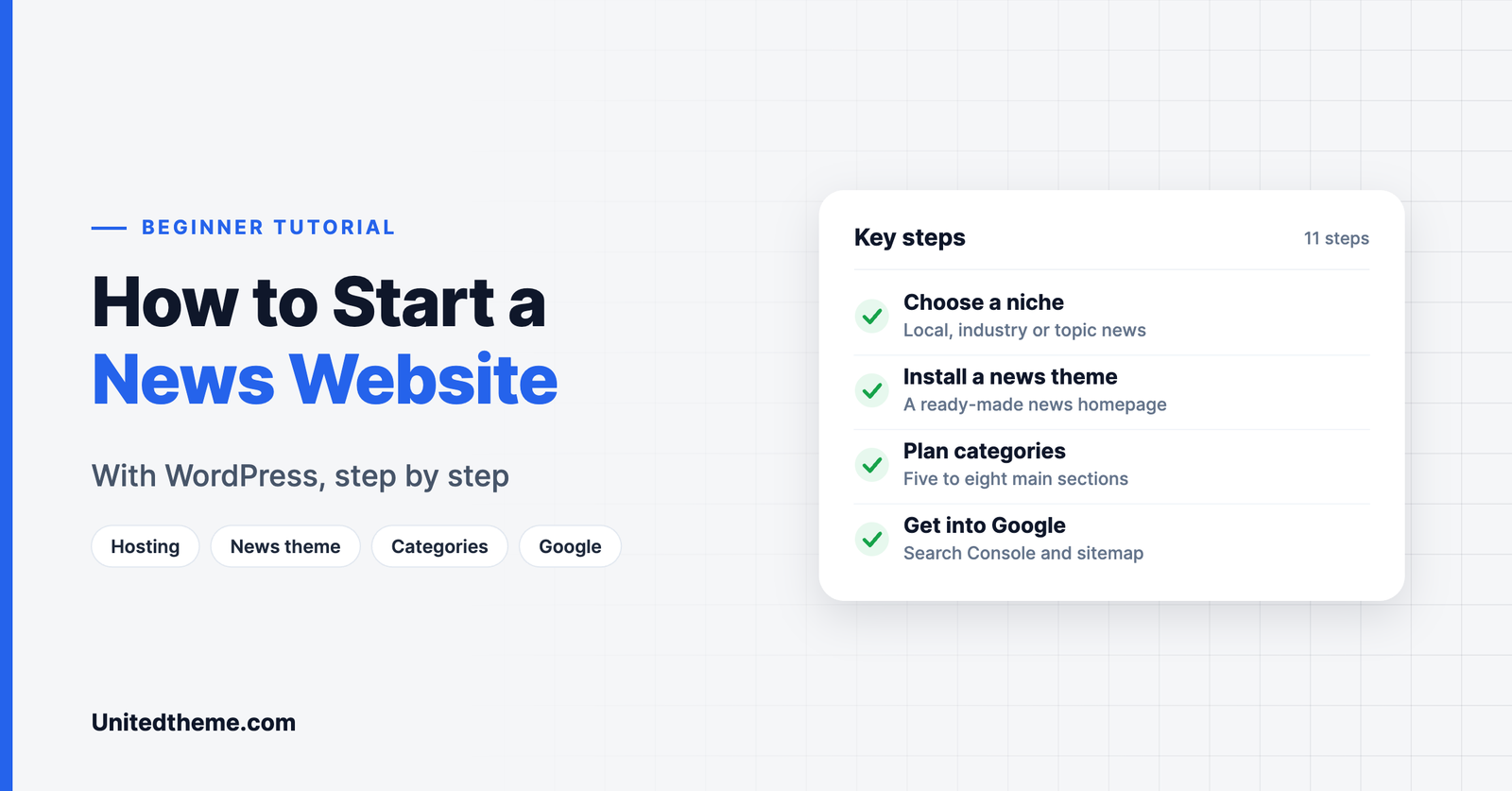
You do not need a newsroom budget to start a news website. With WordPress, a domain name and a good news theme, one person can launch a professional-looking publication in a weekend. The technology is the easy part. The harder part is setting the site up so that it is fast, organized and ready to grow.
This step-by-step guide shows you how to start a news website with WordPress, from choosing a niche to publishing your first stories and getting them into Google.
What You Need Before You Start
- A domain name, ideally short, memorable and related to your coverage area.
- Web hosting that can handle traffic spikes when a story takes off.
- WordPress, which is free and open source.
- A news theme to give you a proper news homepage.
- A few essential plugins for SEO, caching, security and backups.
Step 1: Choose Your Niche and Coverage Area
General news is dominated by large organizations. New publishers succeed by owning something specific:
- Local news for a town, district or city.
- Industry news for a profession or trade.
- Topic news such as local sport, technology, climate or a community.
Write one sentence that defines who you serve and what you cover. Every later decision, from categories to design, follows from it.
Step 2: Register a Domain and Choose Hosting

Pick a domain that is easy to say aloud and spell. Avoid hyphens and numbers where you can.
For hosting, look for:
- Good server response times. A slow server makes every page slow. See our guide to reducing TTFB in WordPress.
- Server-level caching and a recent PHP version.
- Automatic backups.
- Room to scale to a larger plan when traffic grows.
Step 3: Install WordPress
Most hosts offer a one-click WordPress installer. After installing:
- Go to Settings → General and set your site title, tagline and time zone. The time zone matters for a news site because it controls published times.
- Go to Settings → Permalinks and choose Post name for clean URLs.
- Go to Settings → Reading and make sure search engines are not discouraged from indexing the site once you are ready to launch.
Step 4: Install a News Theme
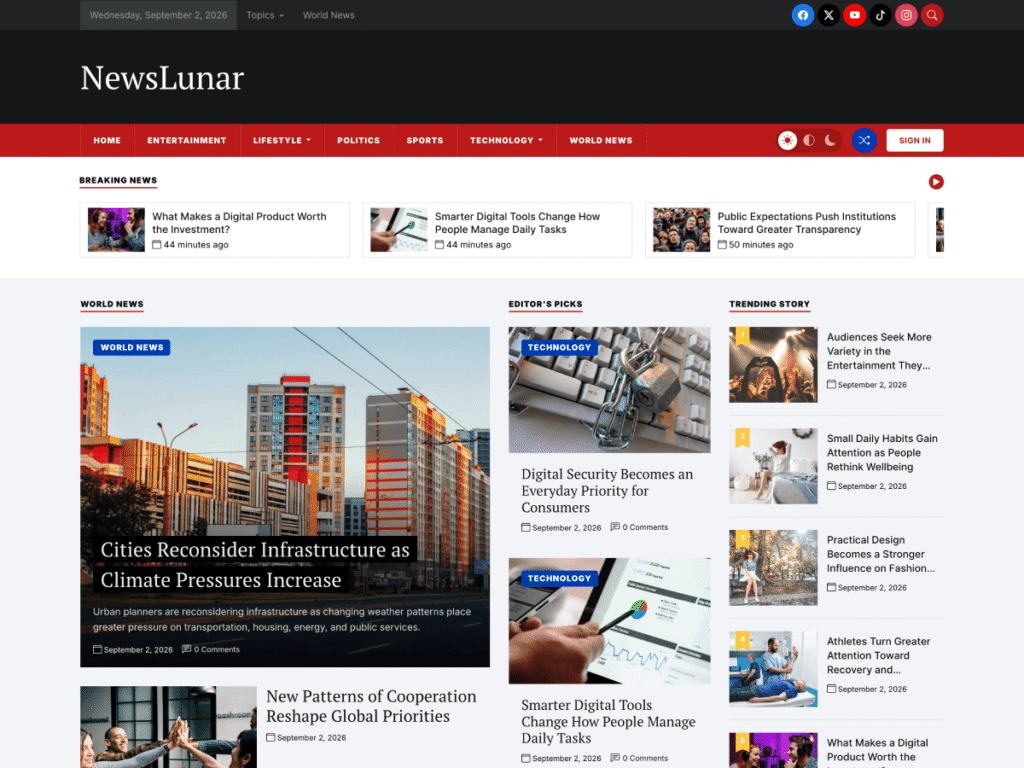
A news theme gives you the homepage structure readers expect: a lead story, category sections and trending lists. We will use NewsLunar, a free block theme, as the example.
- Go to Appearance → Themes → Add New Theme.
- Search for “NewsLunar”.
- Click Install, then Activate.
- Run the one-click demo import to load the sample layout, then replace the sample posts with your own.
Want to compare options first? See our list of the best free WordPress news themes or read the full NewsLunar review.
Step 5: Plan Your Categories and Menus
Categories are the sections of your newspaper. Keep them broad and limited in number.
| Type of site | Example categories |
|---|---|
| Local news | Local, Politics, Business, Sport, Culture, Opinion |
| Tech news | AI, Gadgets, Software, Startups, Security, Reviews |
| Sports news | Football, Basketball, Tennis, Transfers, Analysis |
Tips:
- Aim for five to eight main categories.
- Use tags for people, places and recurring topics.
- Add your main categories to the navigation menu in order of importance.
Step 6: Customize the Design
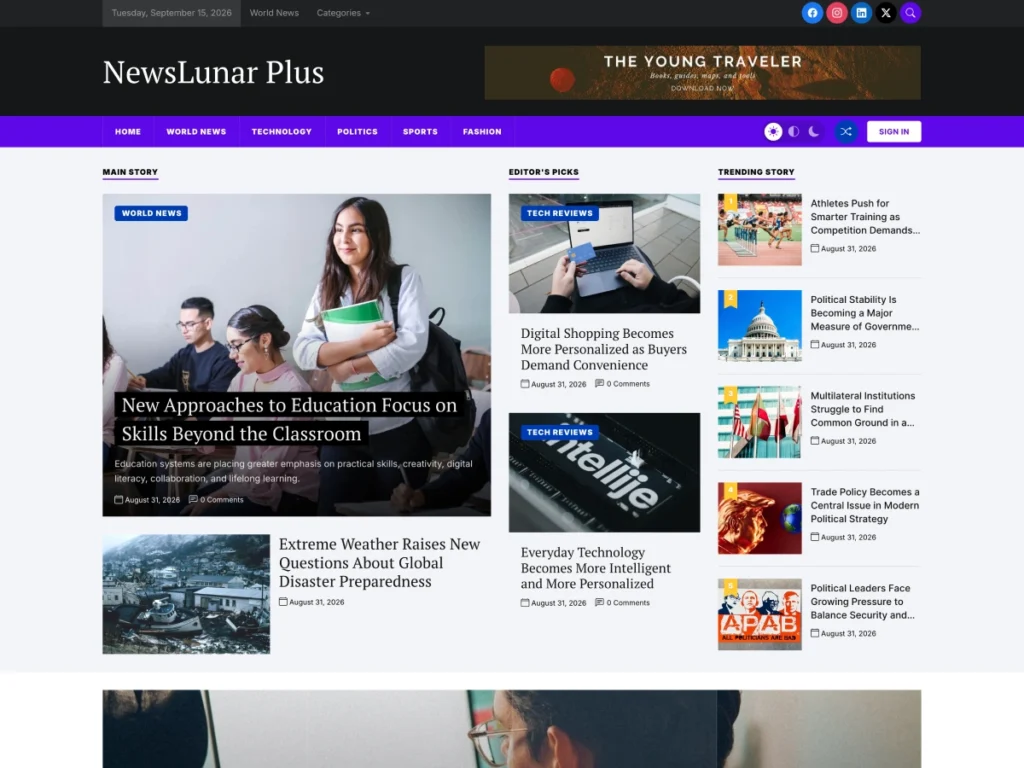
With a block theme, design changes happen in Appearance → Editor.
- Add your logo to the header template part.
- Arrange the homepage. Move, add or remove sections so the homepage reflects your categories.
- Edit the footer with your contact details and key links.
- Set brand colors and fonts. In NewsLunar these options are part of NewsLunar Plus.
New to this way of editing? Read block themes vs classic themes.
Step 7: Install Essential Plugins
Keep the list short. Every plugin adds weight.
- An SEO plugin for titles, descriptions, sitemaps and schema.
- A caching plugin, unless your host handles caching.
- A security plugin with login protection and a firewall.
- A backup plugin, if your host does not provide daily backups.
- An analytics connection. Follow our guide on how to install Google Analytics in WordPress.
Step 8: Create Your Core Pages
Readers and search engines both look for signs that a publication is trustworthy. Create these pages before launch:
- About with who runs the site and why.
- Contact with a real way to reach the newsroom.
- Editorial policy explaining how you report and correct stories.
- Privacy policy and, where required, cookie information.
- Author pages with a short biography for each writer.
Step 9: Publish Your First Stories
Launch with at least ten to fifteen articles spread across your categories, so the homepage looks alive. For each story:
- Write a clear, specific headline.
- Put the key facts in the first paragraph.
- Add a featured image at a consistent size.
- Assign one category and a few relevant tags.
- Link to related stories on your own site.
Step 10: Get Your News Site Into Google
- Verify your site in Google Search Console and submit your XML sitemap.
- Check that your pages can be indexed. Demo or test content should not be public.
- Publish consistently. Regular publishing helps Google learn when to crawl your site.
- Be transparent. Clear dates, bylines, author information and contact details support your eligibility for Google News surfaces, which Google populates automatically from sites that meet its content policies.
- Keep pages fast, particularly on mobile.
Step 11: Plan How the Site Will Earn
- Display advertising is the most common starting point.
- Sponsored content and local advertisers often pay better for niche and local sites.
- Memberships or donations work when readers value your coverage.
- A newsletter builds a direct audience you own.
How Much Does It Cost to Run a News Website?
One of the advantages of WordPress is that you decide where to spend. These are the usual costs for a small news website in its first year.
| Item | Typical cost | Notes |
|---|---|---|
| Domain name | A small yearly fee | Some hosts include the first year |
| Hosting | From a few dollars a month | Choose a plan you can upgrade |
| WordPress | Free | Open-source software |
| News theme | Free, or a one-time or yearly fee | Start free and upgrade later |
| Essential plugins | Free versions are usually enough | SEO, caching, security, backups |
| Images | Free to paid | Your own photos, or licensed stock |
| Your time | The largest cost | Reporting, writing and editing |
A lean news website can launch for little more than the price of a domain and hosting. Spending rises as you grow: better hosting for more traffic, a premium theme for branding, and perhaps freelance writers.
Building a Simple Editorial Workflow
Even a one-person newsroom benefits from a routine. Consistency is what turns occasional visitors into regular readers.
- Keep a story list. Note ideas, sources and deadlines in one place.
- Set a publishing schedule you can sustain, whether that is three stories a day or three a week.
- Write, then edit separately. Even a short break between writing and editing catches errors.
- Check facts and names before publishing. Corrections are costly to your credibility.
- Use a consistent format for headlines, bylines and image credits.
- Schedule posts for the times your readers are most active.
- Update developing stories and mark clearly when an article has been changed.
WordPress supports this with user roles. Contributors can write but not publish, Authors publish their own work, and Editors can review and publish anyone’s stories. Assign roles carefully as your team grows.
Legal and Ethical Basics for News Publishers
Running a news website carries responsibilities that a personal blog does not. This is general guidance, not legal advice, so check the rules where you operate.
- Accuracy. Verify claims before you publish, and correct mistakes openly.
- Defamation. Be careful with statements about identifiable people and businesses. Stick to what you can support with evidence.
- Copyright. Use only images, video and text you have the right to publish. Credit sources properly.
- Privacy. Think carefully before naming private individuals, especially minors.
- Transparency. Label opinion, sponsored content and advertising clearly, so readers can tell them apart from reporting.
- Data protection. If you collect email addresses or use analytics and advertising cookies, you need a privacy policy and, in many regions, cookie consent.
A published editorial policy that covers these points shows readers, and search engines, that you take the work seriously.
Growing Your Audience After Launch
Publishing is half the job. Readers need to find you.
Search. Write clear headlines that say what the story is about, and cover the topics your community searches for, such as local events, schedules, results and explainers.
Email newsletter. A daily or weekly digest brings readers back without depending on social media algorithms. Add a sign-up form to your homepage and articles.
Social media. Share stories where your audience already is. Local community groups are often more valuable than broad platforms.
Partnerships. Collaborate with local organizations, other publishers and community figures who can share your reporting.
Reader contributions. Invite tips, photos and letters. People share coverage they feel part of.
Push notifications and apps. These can wait until you have a steady readership.
Measuring Success
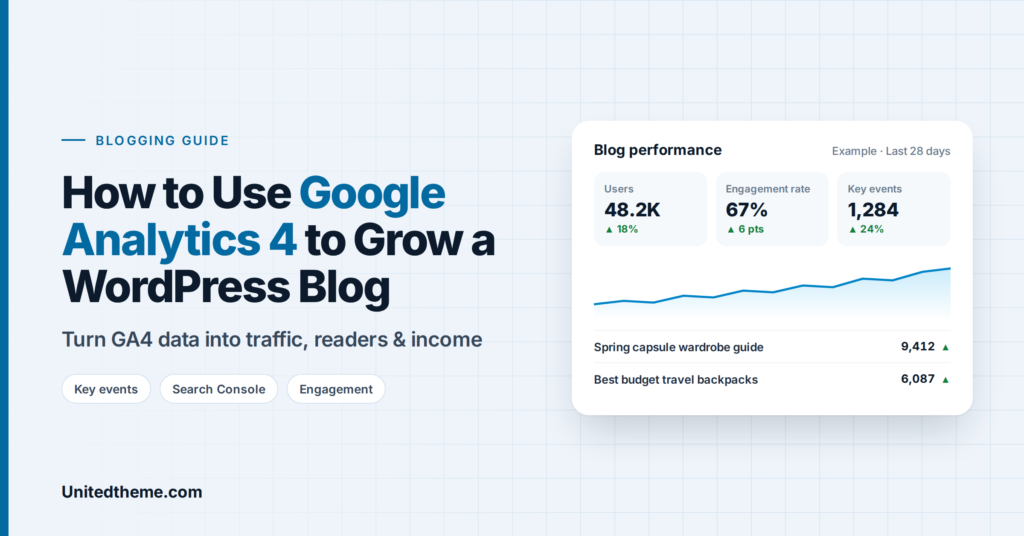
Once the site is running, track a few numbers each week:
- Page views and users, to see whether the audience is growing.
- Top stories, to learn what your readers care about.
- Traffic sources, to see whether readers arrive from search, social media or email.
- Returning visitors, the clearest sign of loyalty.
- Newsletter subscribers, an audience you own.
Our guide to using Google Analytics 4 to grow a WordPress blog explains which reports to read, and the same approach applies to a news site.
A 30-Day Launch Plan for Your News Website
If the full list of steps feels like a lot, spread the work over a month.
Week 1: foundations. Define your niche, register the domain, set up hosting and install WordPress. Decide on your site name and tagline.
Week 2: design and structure. Install your news theme, import the demo, create categories, build the menu and add your logo. Write the About, Contact and editorial policy pages.
Week 3: content. Write and edit your first ten to fifteen stories. Prepare featured images at a consistent size. Set up your SEO plugin, analytics and Search Console.
Week 4: launch and promotion. Remove the demo content, test the site on mobile, submit your sitemap and publish. Announce the launch by email, on social media and through local community groups. Start your regular publishing schedule from the first day.
After the first month, review your analytics to see which stories readers responded to, and plan the next month around what you learn.
When to Bring in Professional Help
Many publishers run their own site for years. It is worth getting help when:
- Traffic outgrows your hosting and pages slow down at peak times.
- You are moving an existing publication with thousands of articles from another platform.
- You need custom features such as subscriptions, paywalls or advertising integrations.
- Technical work is taking time away from reporting.
In those cases a specialist team can handle migration, performance and custom development while you concentrate on the journalism.
Common Mistakes to Avoid
- Too many categories. Thin sections make the site look empty.
- Huge images. Resize and compress before uploading. See WebP vs PNG vs JPEG.
- Too many plugins. Each one slows the site and adds risk.
- No backups. Set them up on day one.
- Skipping maintenance. Updates and checks keep the site secure. Use our WordPress maintenance checklist.
Frequently Asked Questions
How much does it cost to start a news website?
WordPress and many news themes are free. Your main costs are the domain name and hosting. A premium theme, if you choose one, is usually a one-time or yearly fee.
Can one person run a news website?
Yes. Many successful local and niche news sites are run by one or two people. A focused niche and a consistent schedule matter more than team size.
Do I need to know how to code?
No. With a block theme you can design the homepage, header and footer visually.
How long before a news site gets traffic?
Expect a few months of steady publishing before search traffic builds. Social media and newsletters can bring readers sooner.
Final Thoughts
Starting a news website comes down to a clear niche, a fast setup and consistent publishing. Install WordPress, activate a news theme such as NewsLunar, organize your categories and start reporting.
If you would rather have the site built for you, Unitedtheme’s team works with digital publishers on custom news sites, migrations and performance.


Leave a Reply