Overview
NewsEverest Plus is the complete version of NewsEverest
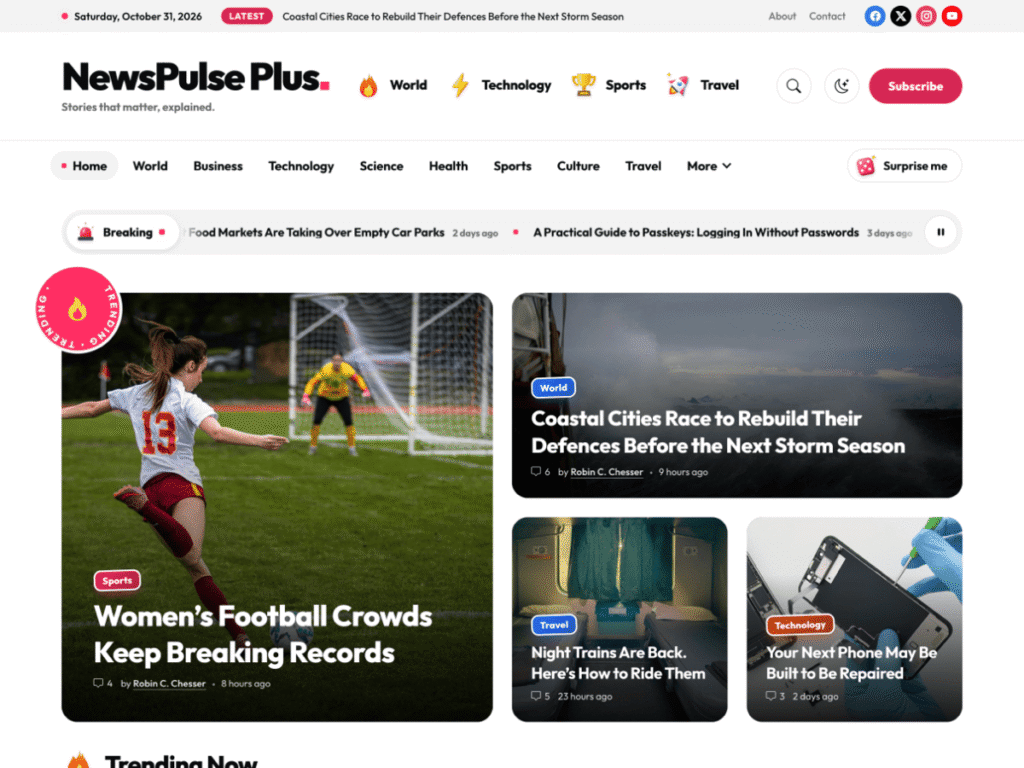
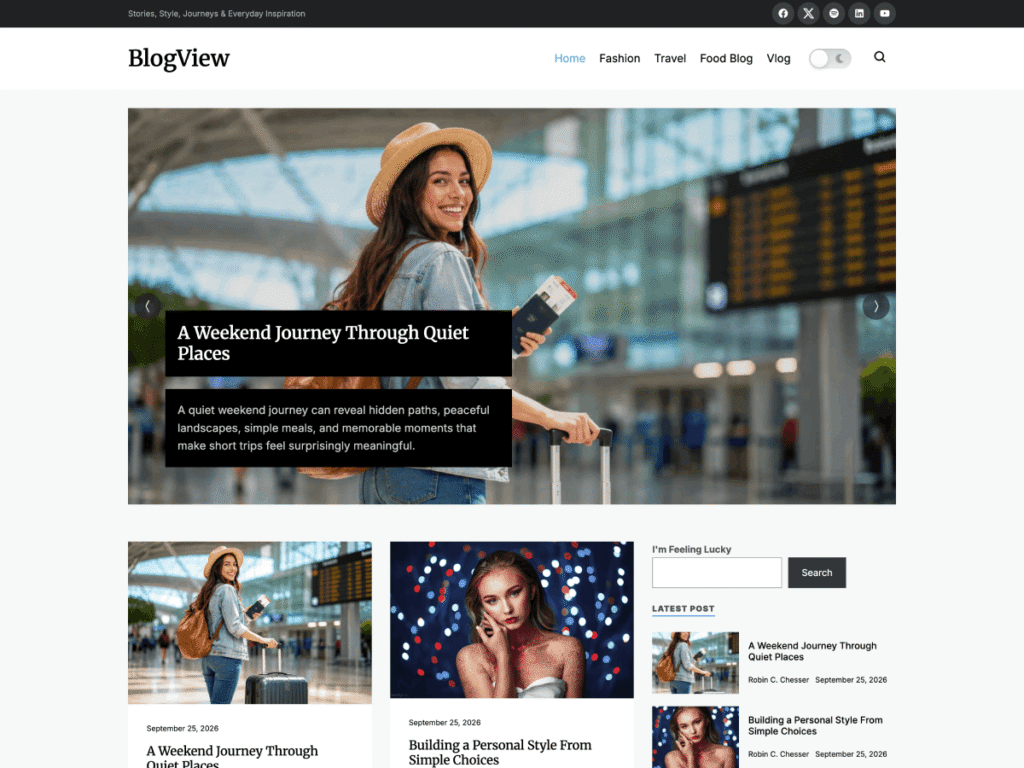
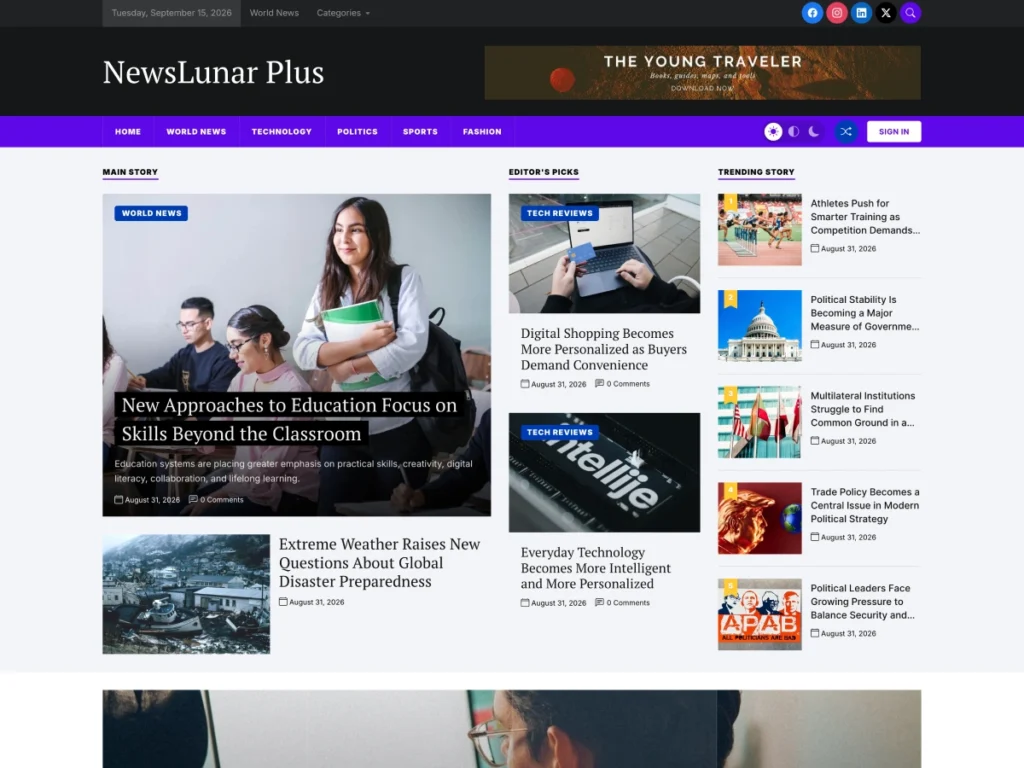
NewsEverest is a modern, responsive news and magazine theme for publishers, bloggers, journalists and online magazines, with drag-and-drop homepage sections, a scrolling news strip and post sliders. NewsEverest Plus is its premium edition: the same layout, plus your own colors and fonts, share buttons, a table of contents, emoji reactions and your own footer line.
NewsEverest Plus is a full theme, not an add-on. Upload it, activate it in place of the free theme, and your posts, pages and menus are waiting for you.
- Posts, pages and menus carry over
- Same layout, many more options
- Free and Plus demos to start from
What you get
Everything NewsEverest Plus adds
The free NewsEverest theme gives you drag-and-drop homepage sections, six widgets, a top bar with the date and a social menu, a preloader and an accent color. NewsEverest Plus adds everything below.
Colors and typography
Set ten more colors, from text, links and borders to the top bar, header and footer backgrounds. Pick body, heading, site title and menu fonts with size, weight, line height and letter spacing, all served from your own site.
Updates and dedicated support
A license brings theme updates straight to your dashboard and puts your questions in front of the people who build NewsEverest Plus. Your key activates on the license page the moment you switch themes.
Share buttons and a sticky bar
Add buttons for Facebook, X, LinkedIn, Pinterest, WhatsApp, Telegram, Reddit, email and copy link in five positions. A sticky bar keeps them in reach while readers scroll.
Table of contents
Long stories get a table of contents built from their headings, placed before the first one. Choose H2 to H4 levels, a minimum heading count, a collapsed start and an optional floating bar on desktop.
Emoji reactions and likes
Readers can react with Like, Love, Haha, Wow, Sad or Angry, or tap a like button, and every post shows the count.
Your own footer line
Replace the theme credit with your own copyright text and links, with the current year filled in for you, so the footer carries only your publication’s name.
One-click setup
Start from the Free or Plus demo
Install One Click Demo Import, choose a demo and bring in its posts, widgets and Customizer settings in one go, including the homepage sections. Then swap the sample stories for your own.
- NewsEverest Free and NewsEverest Plus demos
- Posts, widgets and settings imported together
- One Click Demo Import suggested on activation
Live preview
See every change before you publish
Colors and fonts update in the Customizer preview as you change them, so you can try a new palette or headline font without touching code. Only the fonts you choose are downloaded, then served from your own site.
- Ten extra color settings
- More than 20 fonts, or the system font with no download
- Separate site title and menu fonts
Reader tools
Small touches readers notice
NewsEverest Plus adds the details that keep readers on a story and bring them back for the next one. Each feature can be switched off per post in the editor.
Sticky share bar
A horizontal or vertical bar stays in view while the inline buttons are off screen, and sits at the bottom of the screen on phones.
Floating contents bar
On long reads, a compact bar at the top of the screen shows the section the reader is in.
Copy link
Readers can copy a story link in one tap, and screen readers announce when it is copied.
Change of heart
Readers can change or remove their reaction or like at any time, so the counts stay honest.
Per-post switches
Turn off share buttons, the table of contents, reactions or the like button on any single post.
Accessibility toolbar
Visitors can adjust content, colors and orientation, and you can publish an accessibility statement.
- Launching a new news site Install NewsEverest Plus, import the Free or Plus demo and start publishing the same day. The homepage sections arrive ready to rearrange.
- Moving up from NewsEverest Activate NewsEverest Plus in place of the free theme. Posts, pages, categories and menus stay; set your logo, colors and homepage sections again or import a demo.
- Trying it first Run the free NewsEverest theme from WordPress.org for as long as you like, and open the live preview to see NewsEverest Plus before you buy.
01License
Buy NewsEverest Plus
Choose a license on this page and check out. The theme ZIP is ready to download straight away.
02Theme
Upload and activate
Appearance → Themes → Add New Theme → Upload Theme. Activate NewsEverest Plus, then enter your license key on the page that opens.
03Demo
Import a demo
Install One Click Demo Import when prompted, then pick the NewsEverest Free or NewsEverest Plus demo.
04Brand
Make it yours
Open the Customizer to set your colors and fonts, then choose share buttons, the table of contents and reactions under Premium Features.
Free or Plus
NewsEverest or NewsEverest Plus?
Free theme
Stay on the free theme if…
- You are happy with the accent color and the standard fonts.
- Homepage sections and widgets are all you need.
- Community support is enough.
Plus theme
Choose NewsEverest Plus when…
- You want your own colors and fonts.
- You want share buttons and a sticky share bar on every story.
- You want a table of contents on long reads.
- You want reactions and likes under your posts.
- You want updates and direct support from the developers.
Compare
NewsEverest vs NewsEverest Plus
Everything in the free theme is in NewsEverest Plus too. Here is what the Plus theme adds.
| Feature | NewsEverest Free forever |
NewsEverest Plus From $59.00 |
|---|---|---|
| Design | ||
| Drag-and-drop homepage sections | Included | Included |
| Accent color | Included | Included |
| Top bar with date and social menu | Included | Included |
| Ten extra color settings | Not included | Included |
| Fonts and typography (served locally) | Not included | Included |
| Custom copyright text, no theme credit | Not included | Included |
| Readers | ||
| Six widgets, including post slider and post tabs | Included | Included |
| Social share buttons and sticky share bar | Not included | Included |
| Table of contents | Not included | Included |
| Emoji reactions and like button | Not included | Included |
| Per-post feature switches | Not included | Included |
| Accessibility toolbar | Not included | Included |
| Setup | ||
| One-click demo import (2 demos) | Not included | Included |
| Preloader and fallback image | Included | Included |
| Translation ready and RTL | Included | Included |
| Support | ||
| Help | Community forum | Direct from the developers |
| Updates | WordPress.org | Included with your license |
Day 1
Import and identify
Import the NewsEverest Free or Plus demo, then add your logo, site title and menus.
Day 2
Colors and fonts
Pick a palette and a headline font in the Customizer. Keep the top bar, header and footer backgrounds dark so their light text stays readable.
Day 3
Homepage sections
Assign the Homepage with Sections template to a page, then drag the banner, popular news and news strip sections into order.
Day 4
Sharing
Choose your share networks and where the buttons sit, then pick a horizontal or vertical sticky bar.
Day 5
Long reads
Turn on the table of contents, set the heading levels and the minimum number of headings, then check a long story.
Then
Publish
Write, share and watch the reactions come in. Switch features off on any post that does not need them, such as a short news brief or a sponsored page.
Product questions
NewsEverest Plus FAQ
Short answers about switching from the free theme and what your license includes.



Still have a question?
The people who build NewsEverest Plus answer every ticket, from setup to customization.
Is NewsEverest Plus a theme or a plugin?
NewsEverest Plus is a complete theme. You install it in place of the free NewsEverest theme; you do not need both.
Do I need the free NewsEverest theme first?
No. NewsEverest Plus includes everything in the free theme, so you can install it on any WordPress site.
Will I lose my content when I switch?
No. Posts, pages, categories, tags and menus stay. Customizer settings are saved per theme, so set your logo, colors and homepage sections again in NewsEverest Plus or import a demo.
What happens when my license expires?
You can keep using NewsEverest Plus for as long as you like, even on a Single Site License. The license gives you access to updates and premium support; renew it when you want those again.
Can you install NewsEverest Plus for me?
Yes. The Lifetime access with Installation license includes our installation and setup service, so your site is ready when you log in.
Can I use NewsEverest Plus on more than one site?
Every license works on unlimited domains. The Single Site License key activates updates and support on one website; the lifetime licenses cover you for good.
Is there a way to get every premium theme?
Yes. The All Access membership unlocks every premium Unitedtheme product, including NewsEverest Plus, from $249 a year or $399 for lifetime access.
Where can I see NewsEverest Plus in action?
Use the Live Preview button on this page to open the demo site, then click through the homepage, a single story and the reader tools.
Further reading
Guides for news publishers
Practical reading for anyone running a news or magazine site with NewsEverest Plus, from how classic themes work to choosing a layout.