Overview
BlogPulse Plus is the complete version of BlogPulse
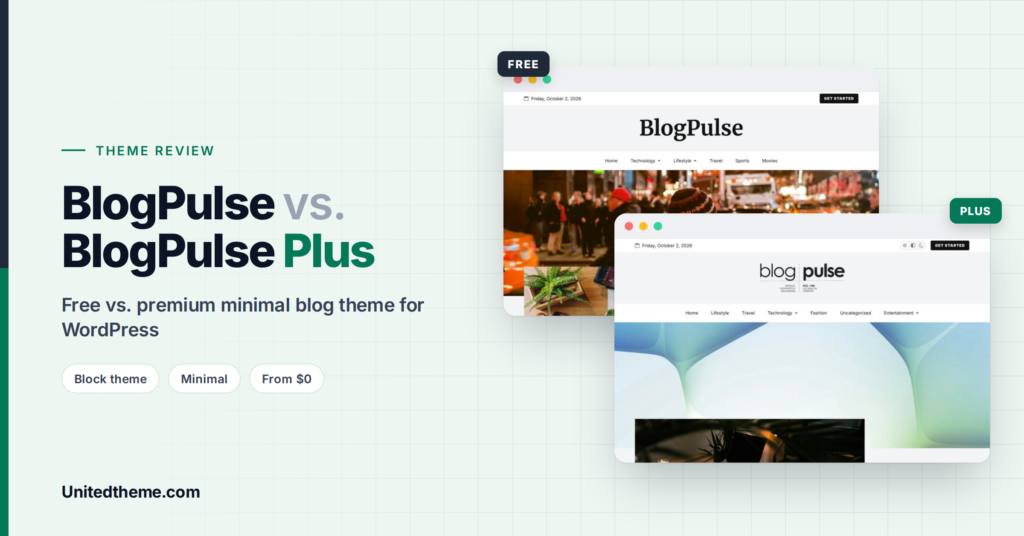
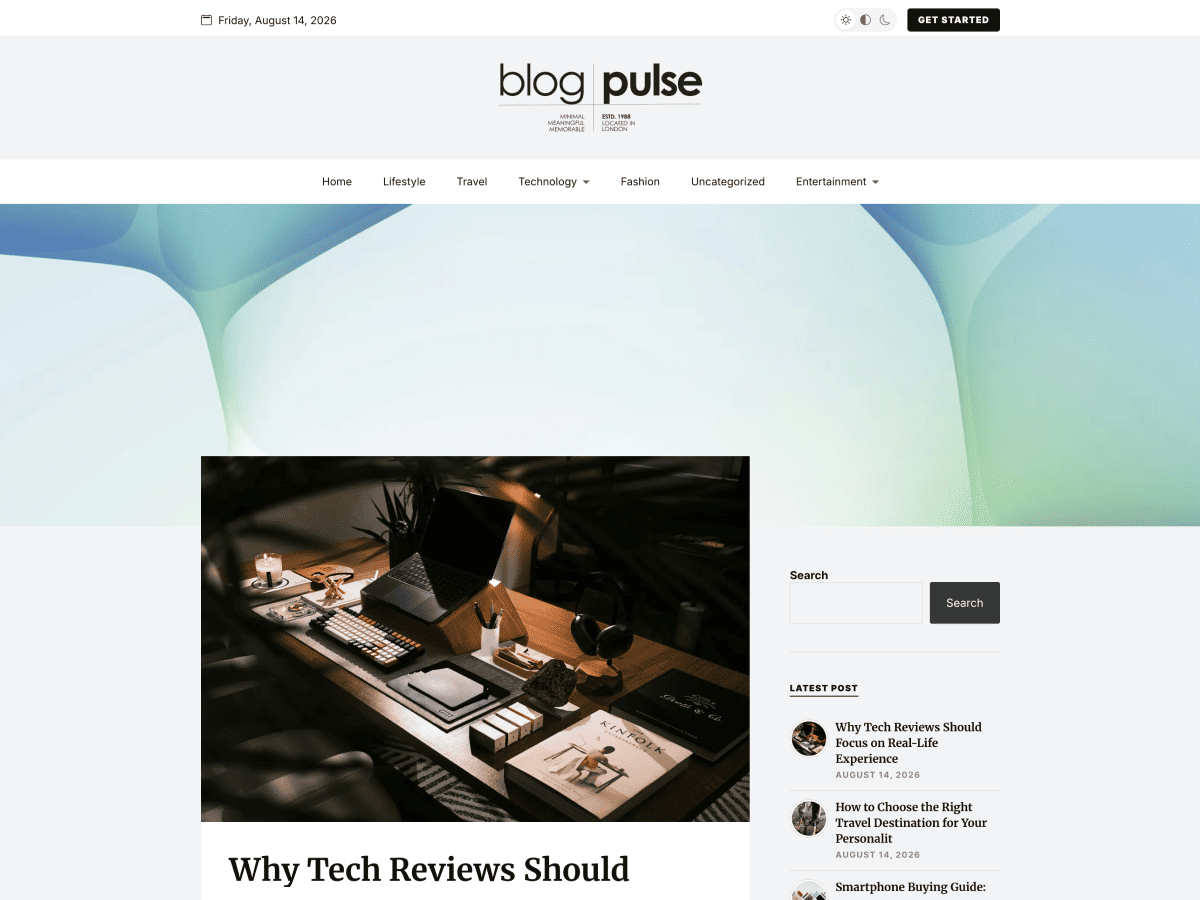
BlogPulse is a minimal, clean blog theme for personal bloggers, writers and creators, with a top bar that shows the date, a light and dark mode switch and a call-to-action button. BlogPulse Plus is its premium edition: the same design, plus your own colors and fonts, share buttons, a table of contents, reactions and likes, and your own footer line.
BlogPulse Plus is a full theme, not an add-on. Upload it, activate it in place of the free theme, and your posts, pages and menus are waiting for you.
- Posts, pages and menus carry over
- Same design, many more options
- Two demos to start from
What you get
Everything BlogPulse Plus adds
The free BlogPulse theme gives you a clean blog with a sidebar, a top bar with the date, a light and dark mode switch, a call-to-action button, an accent color and recent posts and comments widgets. BlogPulse Plus keeps all of that and adds everything below.
Colors and typography
Set the background, alternate background, text, heading, link, secondary text, border and top bar colors, and choose body, heading and site title fonts with size, weight, line height and letter spacing. Fonts are served from your own site.
Updates and dedicated support
A license brings theme updates straight to your dashboard and puts your questions in front of the people who build BlogPulse Plus.
Share buttons
Let readers share a post on Facebook, X, LinkedIn, Pinterest, WhatsApp, Telegram, Reddit or by email, or copy the link, with a sticky share bar while they read.
Table of contents
Long posts get a table of contents before the first heading, built from H2, H3 or H4 headings, so readers can see what is coming and jump ahead.
Emoji reactions and likes
Readers can answer a post with Like, Love, Haha, Wow, Sad or Angry, or tap a like button. It is a quick way to respond for people who never comment.
Your own footer
Replace the theme credit with your own copyright line. Placeholders for the current year and your site title keep it up to date by itself.
One-click setup
Start from the Free or Plus demo
Install One Click Demo Import when prompted, choose a demo and bring in its posts, widgets and Customizer settings in one go. Then swap the sample posts for your own and adjust the colors to suit.
- BlogPulse Free and BlogPulse Plus demos included
- Posts, widgets and settings imported together
- Main menu assigned for you after import
Your look
Colors and type, previewed live
BlogPulse lets you pick one accent color. BlogPulse Plus opens up the full light palette and the type, and you see every change in the Customizer before you publish it. Dark mode keeps its own colors, so both modes stay readable.
- Nine extra color settings, top bar included
- 19 web fonts plus System UI
- Line height and heading letter spacing
Reader tools
Small touches readers notice
BlogPulse Plus adds the details that make a blog feel finished, from a sticky share bar to a smooth way back to the top. Each reader tool can be turned off on a single post.
Sticky share bar
A vertical or horizontal share bar appears while the inline buttons are out of view, and sits at the bottom of the screen on phones.
Floating contents bar
On desktop, a compact bar at the top of the screen shows the section being read.
Per-post switches
Turn off share buttons, the table of contents, reactions or the like button on any post, right in the editor.
Page preloader
Show a loading animation while the page loads, in one of five designs that follow your accent color.
Back to top button
A button appears as readers scroll down and takes them smoothly back to the top.
Accessibility toolbar
Visitors can adjust content, colors and orientation, and you can publish an accessibility statement page.
- Starting a new blog Install BlogPulse Plus, import the Free or Plus demo and start publishing the same day. Replace the sample posts as you go.
- Moving up from BlogPulse Activate BlogPulse Plus in place of the free theme. Posts, pages, categories and menus stay; set your logo, accent color and top bar again or import a demo.
- Trying it first Run the free BlogPulse theme from WordPress.org for as long as you like, and open the live preview to see BlogPulse Plus before you buy.
01License
Buy BlogPulse Plus
Choose a license on this page and check out. The theme ZIP is ready to download straight away.
02Theme
Upload and activate
Appearance → Themes → Add New Theme → Upload Theme. Choose the ZIP, activate BlogPulse Plus and enter your license key.
03Demo
Import a demo
Install One Click Demo Import when prompted, then pick the BlogPulse Free or BlogPulse Plus demo.
04Brand
Make it yours
Open the Customizer to set your colors, fonts and top bar, then choose your reader tools in Premium Features.
Free or Plus
BlogPulse or BlogPulse Plus?
Free theme
Stay on the free theme if…
- One accent color and the standard fonts are enough.
- Readers do not need share buttons or a table of contents.
- Community support is enough.
Plus theme
Choose BlogPulse Plus when…
- You want your own colors and fonts.
- You want share buttons, a table of contents, reactions and likes.
- You want your own copyright line in the footer.
- You want to start from a ready-made demo.
- You want updates and direct support from the developers.
Compare
BlogPulse vs BlogPulse Plus
Everything in the free theme is in BlogPulse Plus too, with the same layout and settings. Here is what the Plus theme adds.
| Feature | BlogPulse Free forever |
BlogPulse Plus From $59.00 |
|---|---|---|
| Design | ||
| Minimal blog layout with sidebar and footer widgets | Included | Included |
| Top bar with date, call-to-action button and light and dark mode | Included | Included |
| Accent color and logo | Included | Included |
| Background, text, heading, link, border and top bar colors | Not included | Included |
| Fonts and typography (19 web fonts) | Not included | Included |
| Custom copyright line in place of the credit | Not included | Included |
| Page preloader and back to top button | Not included | Included |
| Readers | ||
| Recent posts and recent comments widgets | Included | Included |
| Share buttons and sticky share bar | Not included | Included |
| Table of contents with floating bar | Not included | Included |
| Emoji reactions and like button | Not included | Included |
| Per-post feature switches | Not included | Included |
| Accessibility toolbar | Not included | Included |
| Setup | ||
| One-click demo import (2 demos) | Not included | Included |
| Translation ready and RTL | Included | Included |
| Support | ||
| Help | Community forum | Direct from the developers |
| Updates | WordPress.org | Included with your license |
Day 1
Import and identify
Import the Free or Plus demo, then add your logo, site title and menus. Choose whether visitors see light or dark mode first.
Day 2
Colors and fonts
Set your accent, background and text colors, then pick a body and a heading font. Check a post in light and dark mode on your phone.
Day 3
Top bar and footer
Show the date, set the call-to-action button and the top bar colors, and write your own copyright line.
Day 4
Sharing
Choose your share networks, where the buttons sit and the style of the sticky share bar.
Day 5
Long posts
Turn on the table of contents, pick the heading levels and the minimum number of headings, then decide on the preloader and back to top button.
Then
Publish
Keep writing. Reactions, likes and shares show you which posts readers enjoy, so you know what to write next.
Product questions
BlogPulse Plus FAQ
Short answers about switching from the free theme and what your license includes.



Still have a question?
The people who build BlogPulse Plus answer every ticket, from setup to customization.
Is BlogPulse Plus a theme or a plugin?
BlogPulse Plus is a complete theme. You install it in place of the free BlogPulse theme; you do not need both.
Do I need the free BlogPulse theme first?
No. BlogPulse Plus includes everything in the free theme, so you can install it on any WordPress site.
Will I lose my content when I switch?
No. Posts, pages, categories, tags and menus stay. Customizer settings are saved per theme, so set your logo, colors and options again in BlogPulse Plus or import a demo.
What happens when my license expires?
You can keep using BlogPulse Plus for as long as you like, even on a Single Site License. The license gives you access to updates and premium support; renew it when you want those again.
Can you install BlogPulse Plus for me?
Yes. The Lifetime access with Installation license includes our installation and setup service, so your site is ready when you log in.
Can I use BlogPulse Plus on more than one site?
Every license works on unlimited domains. The Single Site License key activates updates and support on one website; the lifetime licenses cover you for good.
Is there a way to get every premium theme?
Yes. The All Access membership unlocks every premium Unitedtheme product, including BlogPulse Plus, from $249 a year or $399 for lifetime access.
Where can I see BlogPulse Plus in action?
Use the Live Preview button on this page to open the demo site.
Further reading
Guides for bloggers
Start with our hands-on review of BlogPulse and BlogPulse Plus, then read on about minimal blog design and how classic themes work.