
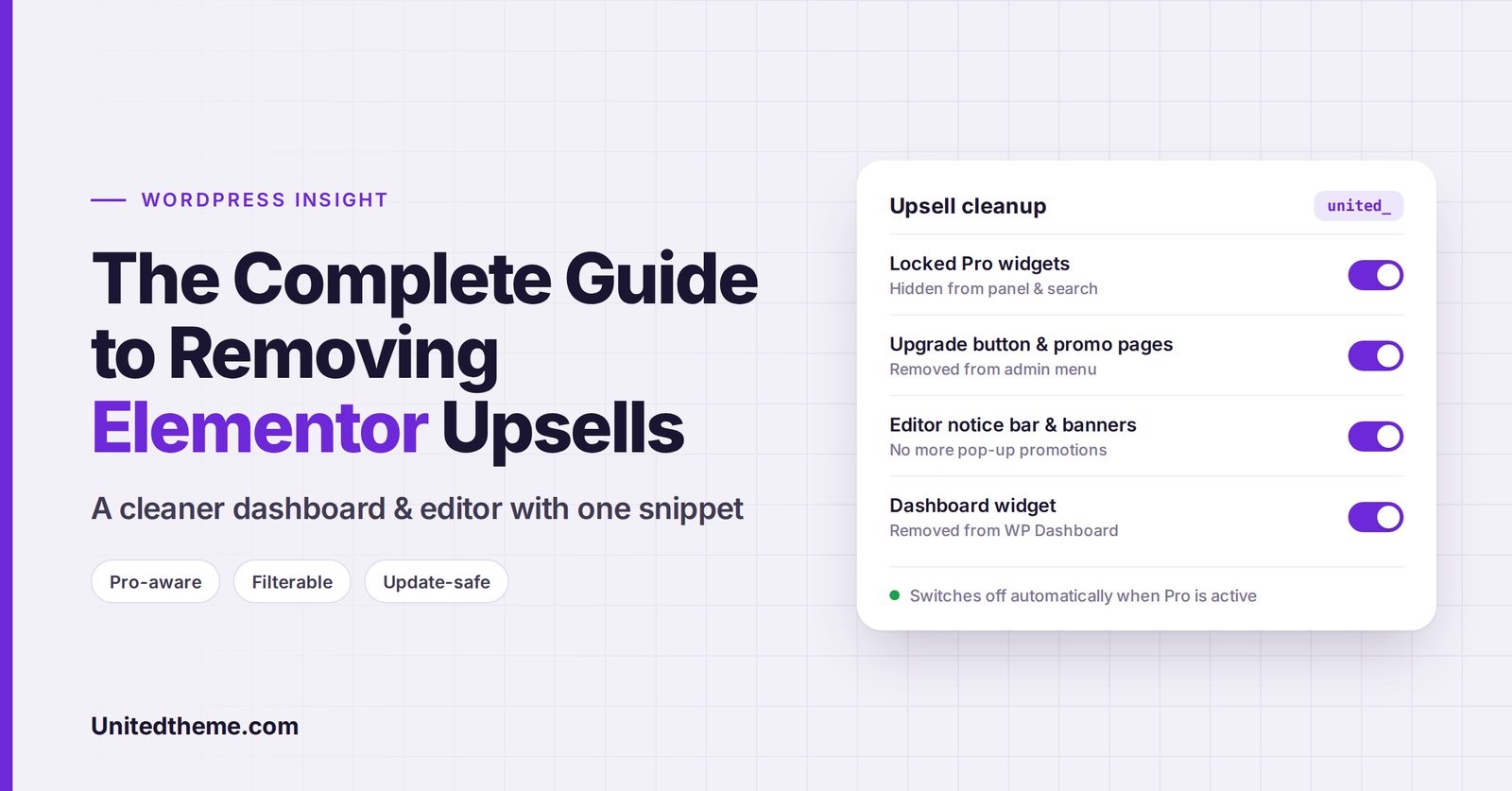
Elementor is one of the most popular page builders in the WordPress world, and its free version is genuinely capable. But if you’ve spent any time inside it, you’ve seen the other side of the freemium model: upsells almost everywhere you look.
There are locked Pro widgets filling your widget panel, a bright “Upgrade” button in the admin menu, promotional pages for features you can’t use, a notice bar at the bottom of the editor, lock icons on settings, and a dashboard widget full of news and offers.
For a solo site owner, that’s mildly annoying. For agencies and freelancers handing sites over to clients, it’s a real problem. Clients click locked features, get confused, and ask why their site “needs an upgrade.”
In this insight guide, we’ll:
- Map where Elementor shows upsells in the free version
- Look honestly at the pros and cons of removing them
- Build a single, clean, well-documented code snippet that hides them, and automatically does nothing if Elementor Pro is active
- Cover non-code alternatives and maintenance tips
Note on code: Every function, class, hook name and handle we create in this article uses the
unitedprefix (for example,United_Elementor_Upsell_Cleanerandunited_elementor_cleaner_features). Prefixing custom code is a WordPress best practice. It prevents conflicts with other plugins and themes and makes your own code easy to spot.
First, a Fair Word About Elementor Pro
Before we start removing anything, it’s worth being clear: upsells exist because Elementor is a business. The free version is funded by people who upgrade, and Elementor Pro is excellent value for many sites. It includes the Theme Builder, Form widget, Popup Builder, dynamic content, custom CSS per element, WooCommerce builder widgets and much more.
If you use Elementor on client or business sites and the Pro features would help, buying Elementor Pro is the simplest and most supportive way to remove upsells. Pro unlocks the features those prompts are advertising, so most of the clutter disappears naturally.
At the same time, Elementor’s free plugin is licensed under the GPL, which explicitly gives you the freedom to modify how it behaves on your own site. Not every site needs Pro, and a clean, focused interface is a reasonable thing to want. This guide is for those situations.
Where Elementor Shows Upsells (Free Version)
Here’s a map of the main promotional elements in Elementor Free, so you know what we’re targeting:
| Location | Upsell | What it does |
|---|---|---|
| Admin sidebar | Pink “Upgrade” menu item | Redirects to the Elementor Pro sales page |
| Admin sidebar | Promotional pages like Submissions, Custom Fonts, Custom Icons and Custom Code | Landing pages advertising Pro features |
| Admin sidebar | Add-ons page | A marketplace of mostly premium add-ons |
| Templates menu | Theme Builder | A Pro-only feature page for free users |
| Elementor admin top bar | “Upgrade Now” and Add-ons buttons | Promotional links at the top of Elementor screens |
| Frontend admin bar | Theme Builder link | Opens a page free users can’t use |
| Editor widget panel | Locked Pro, Site, Single and WooCommerce widget categories | Widgets you can see but not use |
| Editor widget panel | “Get Pro” banner at the bottom of the panel | A sticky promotional banner |
| Editor panel tabs | Globals tab | Global widgets (a Pro feature) |
| Editor navigator | Promotion footer in the Structure/Navigator window | Links to Pro widgets |
| Editor | Sticky notice bar at the bottom | Reappears periodically after you dismiss it |
| Widget controls | Dynamic tags button and lock icons on Pro-only settings | Opens upgrade popovers |
| Advanced tab | Custom CSS and Attributes sections | Pro-only sections showing upgrade prompts |
| WordPress Dashboard | Elementor Overview widget | News feed and promotional links |
| Plugins screen | “Get Elementor Pro” action link | Link next to Deactivate/Settings |
Heads-up: Elementor updates frequently, and these interface elements, their names and their CSS classes change over time. The code below is written defensively, but always re-test after major Elementor updates.
Should You Remove Elementor Upsells? The Trade-Offs
✅ Reasons to Remove Them
- A cleaner editor. Hiding locked widgets makes it much faster to find the widgets you can use, especially if you also use add-on packs with similarly named widgets.
- Better client experience. Clients won’t stumble into upgrade screens or ask why features are “locked.”
- Fewer distractions. Less visual noise means more focus on building.
- Professional handoffs. A tidy dashboard makes your work look more polished.
⚠️ Things to Keep in Mind
- It’s cosmetic, not a performance boost. Most of this cleanup hides elements with CSS or removes menu entries. It doesn’t reduce what Elementor loads, so don’t expect speed gains.
- Updates can break selectors. When Elementor changes its markup, some hidden elements may reappear. Nothing breaks, but you’ll need to update the selectors.
- You may hide useful information. Some prompts teach users what’s possible. If you might upgrade later, consider leaving a few visible.
- Don’t confuse clients in the other direction. If a client later buys Pro, our snippet steps aside automatically, so features won’t stay hidden.
Non-Code Options to Try First
Before reaching for code, check whether these built-in or plugin-based options cover what you need:
- Elementor’s Element Manager. Recent versions of Elementor include an Element Manager (under the Elementor menu) where you can deactivate widgets you don’t use. It’s great for slimming down the panel, though it’s designed for widgets you have, not Pro promotions.
- Screen Options on the Dashboard. Click Screen Options at the top of the Dashboard and untick Elementor Overview to hide the dashboard widget for your own user account.
- Dismiss notices. You can close the editor notice bar, but it tends to return periodically.
- Admin menu editor plugins. Plugins like Admin Menu Editor let you hide menu items (including Elementor’s promotional pages) per user role, without code.
- White-label plugins. Tools like White Label CMS can tidy up the admin for client sites, though they won’t cover every Elementor editor upsell.
If you want a complete, centralized cleanup that adjusts itself when Pro is installed, the code approach below is the most thorough.
The United Elementor Upsell Cleaner: How It Works
We’ll build a small, self-contained PHP class with these design goals:
- Safe loading: It only runs after Elementor has loaded, and does nothing if Elementor isn’t installed.
- Pro-aware: If Elementor Pro is active, it exits immediately and changes nothing.
-
Configurable: Every cleanup area can be switched on or off through a single filter,
united_elementor_cleaner_features. - Extendable: Editor and top bar CSS selectors live in arrays you can modify with filters, so updating for future Elementor versions is easy.
- Defensive: It checks that methods, classes and array keys exist before using them, so an Elementor update won’t cause fatal errors.
Let’s walk through each part, then put it all together.
Part 1: The Class Skeleton and Pro Detection
php
<?php
/**
 * United Elementor Upsell Cleaner.
 *
 * Hides promotional UI in Elementor Free.
 * Automatically does nothing when Elementor Pro is active.
 */
defined( 'ABSPATH' ) || exit;

final class United_Elementor_Upsell_Cleaner {

	/**
	 * Start the cleaner once Elementor has loaded.
	 */
	public static function united_init(): void {
		if ( did_action( 'elementor/loaded' ) ) {
			self::united_boot();
		} else {
			add_action( 'elementor/loaded', [ __CLASS__, 'united_boot' ] );
		}
	}

	/**
	 * Check whether Elementor Pro is active.
	 */
	private static function united_has_pro(): bool {
		return is_callable( [ '\Elementor\Utils', 'has_pro' ] ) && \Elementor\Utils::has_pro();
	}

	/**
	 * Check whether a cleanup feature is enabled.
	 */
	private static function united_enabled( string $feature ): bool {
		$features = apply_filters( 'united_elementor_cleaner_features', [
			'admin_menu'       => true, // Promo pages, Upgrade button, Add-ons, Theme Builder.
			'admin_top_bar'    => true, // "Upgrade Now" and Add-ons buttons.
			'frontend_bar'     => true, // Theme Builder link in the frontend admin bar.
			'editor'           => true, // Locked widgets, banners, notice bar, locked controls.
			'dashboard_widget' => true, // Elementor Overview dashboard widget.
			'plugin_links'     => true, // "Get Elementor Pro" link on the Plugins screen.
		] );

		return ! empty( $features[ $feature ] );
	}
}
The united_has_pro() check is the safety net. If a site owner upgrades later, the cleaner steps aside and every Pro feature appears normally.
Part 2: Registering the Hooks
Next, a united_boot() method registers only the features that are enabled:
php
	/**
	 * Register hooks for each enabled feature.
	 */
	public static function united_boot(): void {
		if ( self::united_has_pro() ) {
			return; // Elementor Pro is active, so leave everything as it is.
		}

		if ( self::united_enabled( 'admin_menu' ) ) {
			add_action( 'elementor/admin/menu/after_register', [ __CLASS__, 'united_clean_admin_menu' ], PHP_INT_MAX, 2 );
		}

		if ( self::united_enabled( 'admin_top_bar' ) ) {
			add_action( 'elementor/admin_top_bar/before_enqueue_scripts', [ __CLASS__, 'united_admin_top_bar_css' ] );
		}

		if ( self::united_enabled( 'frontend_bar' ) ) {
			add_filter( 'elementor/frontend/admin_bar/settings', [ __CLASS__, 'united_clean_frontend_admin_bar' ], PHP_INT_MAX );
		}

		if ( self::united_enabled( 'editor' ) ) {
			add_action( 'elementor/editor/after_enqueue_styles', [ __CLASS__, 'united_editor_css' ] );
		}

		if ( self::united_enabled( 'dashboard_widget' ) ) {
			add_action( 'wp_dashboard_setup', [ __CLASS__, 'united_remove_dashboard_widget' ], PHP_INT_MAX );
		}

		if ( self::united_enabled( 'plugin_links' ) ) {
			add_filter( 'plugin_action_links_elementor/elementor.php', [ __CLASS__, 'united_clean_plugin_links' ], PHP_INT_MAX );
		}
	}
These hooks are provided by Elementor itself: elementor/admin/menu/after_register fires after Elementor registers its admin pages, elementor/admin_top_bar/before_enqueue_scripts fires before the Elementor admin top bar loads, and elementor/editor/after_enqueue_styles fires when the editor’s styles are enqueued.
Part 3: Cleaning the Admin Menu
Elementor registers its promotional admin pages (such as Submissions, Custom Fonts, Custom Icons and Custom Code) as special promotion menu items. Instead of hard-coding every page slug, we ask Elementor’s menu manager for all registered items and remove the ones that are promotions. That way, new promo pages added in future versions are caught automatically.
php
	/**
	 * Remove promotional admin pages and menu links.
	 *
	 * @param object $menu_manager Elementor admin menu manager.
	 * @param array  $hooks        Registered page hooks, keyed by item slug.
	 */
	public static function united_clean_admin_menu( $menu_manager, $hooks ): void {
		$united_promo_classes = [
			'\Elementor\Modules\Promotions\AdminMenuItems\Base_Promotion_Item',
			'\Elementor\Modules\Promotions\AdminMenuItems\Base_Promotion_Template',
		];

		// Extra (non-promotion) items to remove. Remove 'elementor-apps' from this list to keep Add-ons.
		$united_extra_slugs = apply_filters( 'united_elementor_cleaner_extra_menu_slugs', [ 'elementor-apps' ] );

		if ( is_object( $menu_manager ) && is_callable( [ $menu_manager, 'get_all' ] ) ) {
			foreach ( (array) $menu_manager->get_all() as $united_slug => $united_item ) {
				if ( ! isset( $hooks[ $united_slug ] ) || ! is_object( $united_item ) ) {
					continue;
				}

				$united_is_promo = in_array( $united_slug, $united_extra_slugs, true );

				foreach ( $united_promo_classes as $united_class ) {
					if ( $united_item instanceof $united_class ) {
						$united_is_promo = true;
						break;
					}
				}

				if ( ! $united_is_promo ) {
					continue;
				}

				$united_parent = is_callable( [ $united_item, 'get_parent_slug' ] ) ? $united_item->get_parent_slug() : '';

				if ( $united_parent ) {
					remove_submenu_page( $united_parent, $united_slug );
				} else {
					remove_menu_page( $hooks[ $united_slug ] );
				}
			}
		}

		// The pink "Upgrade" button and the "Get Help" link.
		remove_submenu_page( 'elementor', 'go_elementor_pro' );
		remove_submenu_page( 'elementor', 'go_knowledge_base_site' );

		// Theme Builder (keep the page itself reachable so the Kit Library keeps working).
		$united_current_page = isset( $_GET['page'] ) ? sanitize_key( wp_unslash( $_GET['page'] ) ) : '';
		if ( 'elementor-app' !== $united_current_page ) {
			remove_submenu_page( 'edit.php?post_type=elementor_library', 'elementor-app' );
		}
	}
Why the Theme Builder check? The elementor-app page also powers features like the Kit Library. We remove the menu link, but don’t block the page itself when you’re actively on it, so the Kit Library continues to work.
Prefer to keep Add-ons or Get Help? Remove 'elementor-apps' from the united_elementor_cleaner_extra_menu_slugs list, or delete the go_knowledge_base_site line.
Part 4: Cleaning the Elementor Admin Top Bar
On Elementor’s admin screens, a top bar shows buttons like “Upgrade Now” and Add-ons. Each button contains a distinctive icon class, so we can hide the right buttons with the modern CSS :has() selector:
php
	/**
	 * Hide promotional buttons in the Elementor admin top bar.
	 */
	public static function united_admin_top_bar_css(): void {
		$united_icons = apply_filters( 'united_elementor_cleaner_top_bar_icons', [
			'.eicon-upgrade-crown', // "Upgrade Now" button.
			'.eicon-integration',   // Add-ons button (matches the removed Add-ons page).
		] );

		if ( empty( $united_icons ) ) {
			return;
		}

		wp_add_inline_style(
			'elementor-admin-top-bar',
			'.e-admin-top-bar__bar-button:has(' . implode( ',', $united_icons ) . '){display:none!important;}'
		);
	}
Why hide the Add-ons button too? If you’ve removed the Add-ons page, its top bar button would lead to a “Sorry, you are not allowed to access this page” error. Hiding both keeps things consistent.
Part 5: Removing the Theme Builder Link From the Frontend Admin Bar
When you view your site while logged in, Elementor adds a Theme Builder link under its admin bar menu. Elementor exposes this menu as a filterable settings array, so we can remove the item cleanly:
php
	/**
	 * Remove the Theme Builder item from the frontend admin bar.
	 *
	 * @param array $united_config Elementor admin bar settings.
	 * @return array
	 */
	public static function united_clean_frontend_admin_bar( $united_config ) {
		if ( empty( $united_config['elementor_edit_page']['children'] )
			|| ! is_array( $united_config['elementor_edit_page']['children'] )
		) {
			return $united_config;
		}

		$united_config['elementor_edit_page']['children'] = array_values( array_filter(
			$united_config['elementor_edit_page']['children'],
			static function ( $united_child ) {
				return ! ( isset( $united_child['id'] ) && 'elementor_app_site_editor' === $united_child['id'] );
			}
		) );

		return $united_config;
	}
Part 6: Cleaning Up the Editor
The editor is where upsells are most disruptive. Since Elementor doesn’t provide PHP filters to remove most of these elements, we add a small block of CSS to the editor. We keep every selector in a commented, filterable array, so it’s easy to see what each line hides and to update selectors after Elementor updates:
php
	/**
	 * Hide promotional elements inside the Elementor editor.
	 */
	public static function united_editor_css(): void {
		$united_selectors = apply_filters( 'united_elementor_cleaner_editor_selectors', [
			// Locked Pro widgets and their categories in the widget panel.
			'.elementor-element-wrapper.elementor-element--promotion',
			'#elementor-panel-category-pro-elements',
			'#elementor-panel-category-theme-elements',
			'#elementor-panel-category-theme-elements-single',
			'#elementor-panel-category-woocommerce-elements',

			// "Get Pro" banners at the bottom of the widget panel.
			'#elementor-panel-get-pro-elements',
			'#elementor-panel-get-pro-elements-sticky',

			// The Globals tab (global widgets are a Pro feature).
			'.elementor-panel-navigation-tab[data-tab="global"]',

			// Promotion footer in the Navigator / Structure window.
			'#elementor-navigator__footer__promotion',

			// Sticky notice bar at the bottom of the editor.
			'.e-notice-bar',

			// Dynamic tags button and controls with a Pro lock icon.
			'.elementor-control-dynamic-switcher',
			'.elementor-control:has([class*="promotion__lock-wrapper"])',

			// Pro-only "Custom CSS" and "Attributes" sections in the Advanced tab.
			'.elementor-control-section_custom_css_pro',
			'.elementor-control-section_custom_attributes_pro',
		] );

		if ( empty( $united_selectors ) ) {
			return;
		}

		$united_css  = implode( ',', $united_selectors ) . '{display:none!important;}';

		// Small visual fixes after hiding the elements above.
		$united_css .= '.elementor-panel .elementor-panel-navigation .elementor-panel-navigation-tab[data-tab="categories"].elementor-active{border-color:transparent;}';
		$united_css .= '.elementor-control-type-wysiwyg .tmce-active .switch-html{border-inline-end:0;}';

		wp_add_inline_style( 'elementor-editor', $united_css );
	}
What this cleans up:
- Locked widgets disappear from the panel and from search results, so searching for “form” or “slider” only shows widgets you can actually use.
- The “Get Pro” banner and Globals tab are hidden.
- The Navigator promotion footer and the bottom notice bar disappear.
- Dynamic tag buttons and locked controls are hidden from widget settings.
- Pro-only Advanced sections (Custom CSS and Attributes) are removed from the Advanced tab.
Tip: Want to keep some items visible? Remove them with the
united_elementor_cleaner_editor_selectorsfilter instead of editing the class (see the customization examples below).
Part 7: Removing the Dashboard Widget and Plugin Link
Finally, we remove the Elementor Overview widget from the WordPress Dashboard and the “Get Elementor Pro” link on the Plugins screen:
php
	/**
	 * Remove the Elementor Overview widget from the Dashboard.
	 */
	public static function united_remove_dashboard_widget(): void {
		remove_meta_box( 'e-dashboard-overview', 'dashboard', 'normal' );
	}

	/**
	 * Remove the "Get Elementor Pro" link from the Plugins screen.
	 *
	 * @param array $united_links Plugin action links.
	 * @return array
	 */
	public static function united_clean_plugin_links( $united_links ) {
		unset( $united_links['go_pro'] );
		return $united_links;
	}
The Complete Code (Copy & Paste)
Here’s the complete, ready-to-use version. We recommend adding it as a small custom plugin (instructions below), so it keeps working even if you switch themes.
php
<?php
/**
 * Plugin Name: United Elementor Upsell Cleaner
 * Description: Hides promotional UI in Elementor Free for a cleaner dashboard and editor. Automatically does nothing when Elementor Pro is active.
 * Version:     1.0.0
 * Author:      Unitedtheme
 * Author URI:  https://unitedtheme.com
 * License:     GPL-2.0-or-later
 */

defined( 'ABSPATH' ) || exit;

final class United_Elementor_Upsell_Cleaner {

	public static function united_init(): void {
		if ( did_action( 'elementor/loaded' ) ) {
			self::united_boot();
		} else {
			add_action( 'elementor/loaded', [ __CLASS__, 'united_boot' ] );
		}
	}

	private static function united_has_pro(): bool {
		return is_callable( [ '\Elementor\Utils', 'has_pro' ] ) && \Elementor\Utils::has_pro();
	}

	private static function united_enabled( string $feature ): bool {
		$features = apply_filters( 'united_elementor_cleaner_features', [
			'admin_menu'       => true,
			'admin_top_bar'    => true,
			'frontend_bar'     => true,
			'editor'           => true,
			'dashboard_widget' => true,
			'plugin_links'     => true,
		] );
		return ! empty( $features[ $feature ] );
	}

	public static function united_boot(): void {
		if ( self::united_has_pro() ) {
			return;
		}
		if ( self::united_enabled( 'admin_menu' ) ) {
			add_action( 'elementor/admin/menu/after_register', [ __CLASS__, 'united_clean_admin_menu' ], PHP_INT_MAX, 2 );
		}
		if ( self::united_enabled( 'admin_top_bar' ) ) {
			add_action( 'elementor/admin_top_bar/before_enqueue_scripts', [ __CLASS__, 'united_admin_top_bar_css' ] );
		}
		if ( self::united_enabled( 'frontend_bar' ) ) {
			add_filter( 'elementor/frontend/admin_bar/settings', [ __CLASS__, 'united_clean_frontend_admin_bar' ], PHP_INT_MAX );
		}
		if ( self::united_enabled( 'editor' ) ) {
			add_action( 'elementor/editor/after_enqueue_styles', [ __CLASS__, 'united_editor_css' ] );
		}
		if ( self::united_enabled( 'dashboard_widget' ) ) {
			add_action( 'wp_dashboard_setup', [ __CLASS__, 'united_remove_dashboard_widget' ], PHP_INT_MAX );
		}
		if ( self::united_enabled( 'plugin_links' ) ) {
			add_filter( 'plugin_action_links_elementor/elementor.php', [ __CLASS__, 'united_clean_plugin_links' ], PHP_INT_MAX );
		}
	}

	public static function united_clean_admin_menu( $menu_manager, $hooks ): void {
		$united_promo_classes = [
			'\Elementor\Modules\Promotions\AdminMenuItems\Base_Promotion_Item',
			'\Elementor\Modules\Promotions\AdminMenuItems\Base_Promotion_Template',
		];
		$united_extra_slugs = apply_filters( 'united_elementor_cleaner_extra_menu_slugs', [ 'elementor-apps' ] );

		if ( is_object( $menu_manager ) && is_callable( [ $menu_manager, 'get_all' ] ) ) {
			foreach ( (array) $menu_manager->get_all() as $united_slug => $united_item ) {
				if ( ! isset( $hooks[ $united_slug ] ) || ! is_object( $united_item ) ) {
					continue;
				}
				$united_is_promo = in_array( $united_slug, $united_extra_slugs, true );
				foreach ( $united_promo_classes as $united_class ) {
					if ( $united_item instanceof $united_class ) {
						$united_is_promo = true;
						break;
					}
				}
				if ( ! $united_is_promo ) {
					continue;
				}
				$united_parent = is_callable( [ $united_item, 'get_parent_slug' ] ) ? $united_item->get_parent_slug() : '';
				if ( $united_parent ) {
					remove_submenu_page( $united_parent, $united_slug );
				} else {
					remove_menu_page( $hooks[ $united_slug ] );
				}
			}
		}

		remove_submenu_page( 'elementor', 'go_elementor_pro' );
		remove_submenu_page( 'elementor', 'go_knowledge_base_site' );

		$united_current_page = isset( $_GET['page'] ) ? sanitize_key( wp_unslash( $_GET['page'] ) ) : '';
		if ( 'elementor-app' !== $united_current_page ) {
			remove_submenu_page( 'edit.php?post_type=elementor_library', 'elementor-app' );
		}
	}

	public static function united_admin_top_bar_css(): void {
		$united_icons = apply_filters( 'united_elementor_cleaner_top_bar_icons', [
			'.eicon-upgrade-crown',
			'.eicon-integration',
		] );
		if ( empty( $united_icons ) ) {
			return;
		}
		wp_add_inline_style(
			'elementor-admin-top-bar',
			'.e-admin-top-bar__bar-button:has(' . implode( ',', $united_icons ) . '){display:none!important;}'
		);
	}

	public static function united_clean_frontend_admin_bar( $united_config ) {
		if ( empty( $united_config['elementor_edit_page']['children'] )
			|| ! is_array( $united_config['elementor_edit_page']['children'] )
		) {
			return $united_config;
		}
		$united_config['elementor_edit_page']['children'] = array_values( array_filter(
			$united_config['elementor_edit_page']['children'],
			static function ( $united_child ) {
				return ! ( isset( $united_child['id'] ) && 'elementor_app_site_editor' === $united_child['id'] );
			}
		) );
		return $united_config;
	}

	public static function united_editor_css(): void {
		$united_selectors = apply_filters( 'united_elementor_cleaner_editor_selectors', [
			'.elementor-element-wrapper.elementor-element--promotion',
			'#elementor-panel-category-pro-elements',
			'#elementor-panel-category-theme-elements',
			'#elementor-panel-category-theme-elements-single',
			'#elementor-panel-category-woocommerce-elements',
			'#elementor-panel-get-pro-elements',
			'#elementor-panel-get-pro-elements-sticky',
			'.elementor-panel-navigation-tab[data-tab="global"]',
			'#elementor-navigator__footer__promotion',
			'.e-notice-bar',
			'.elementor-control-dynamic-switcher',
			'.elementor-control:has([class*="promotion__lock-wrapper"])',
			'.elementor-control-section_custom_css_pro',
			'.elementor-control-section_custom_attributes_pro',
		] );
		if ( empty( $united_selectors ) ) {
			return;
		}
		$united_css  = implode( ',', $united_selectors ) . '{display:none!important;}';
		$united_css .= '.elementor-panel .elementor-panel-navigation .elementor-panel-navigation-tab[data-tab="categories"].elementor-active{border-color:transparent;}';
		$united_css .= '.elementor-control-type-wysiwyg .tmce-active .switch-html{border-inline-end:0;}';
		wp_add_inline_style( 'elementor-editor', $united_css );
	}

	public static function united_remove_dashboard_widget(): void {
		remove_meta_box( 'e-dashboard-overview', 'dashboard', 'normal' );
	}

	public static function united_clean_plugin_links( $united_links ) {
		unset( $united_links['go_pro'] );
		return $united_links;
	}
}

United_Elementor_Upsell_Cleaner::united_init();
How to Install the Code
Option 1: As a Custom Plugin (Recommended)
- On your computer, create a folder named
united-elementor-upsell-cleaner. - Inside it, create a file named
united-elementor-upsell-cleaner.phpand paste the complete code above. - Compress the folder into a .zip file.
- In WordPress, go to Plugins → Add New Plugin → Upload Plugin, upload the zip, then click Install Now and Activate.
Alternatively, upload the folder to /wp-content/plugins/ via SFTP or your hosting File Manager and activate it from the Plugins screen.
Agency tip: To make sure clients can’t deactivate it, place just the PHP file in
/wp-content/mu-plugins/(create the folder if it doesn’t exist). Must-use plugins load automatically and don’t appear in the regular plugins list.
Option 2: With a Code Snippets Plugin
If you use WPCode or Code Snippets, create a new PHP snippet, paste the code without the opening <?php tag and the plugin header comment, set it to run everywhere, and activate it.
Option 3: In Your Child Theme’s functions.php
You can paste the code (without the plugin header) into your child theme’s functions.php. Just remember it will stop working if you switch themes. Never edit a parent theme directly, because updates will overwrite your changes.
Always test on a staging site first and keep a backup. A typo in PHP can cause a critical error.
Customizing the Cleaner With Filters
Because everything is controlled through united_ filters, you can fine-tune the cleanup without editing the class. Add these examples to a separate snippet or your child theme.
Keep the Dashboard widget and the Plugins screen link:
php
add_filter( 'united_elementor_cleaner_features', function ( $united_features ) {
	$united_features['dashboard_widget'] = false;
	$united_features['plugin_links']     = false;
	return $united_features;
} );
Keep the Add-ons page:
php
add_filter( 'united_elementor_cleaner_extra_menu_slugs', function ( $united_slugs ) {
	return array_diff( $united_slugs, [ 'elementor-apps' ] );
} );
Keep the Globals tab visible in the editor:
php
add_filter( 'united_elementor_cleaner_editor_selectors', function ( $united_selectors ) {
	return array_diff( $united_selectors, [ '.elementor-panel-navigation-tab[data-tab="global"]' ] );
} );
Hide a new element after an Elementor update:
php
add_filter( 'united_elementor_cleaner_editor_selectors', function ( $united_selectors ) {
	$united_selectors[] = '.your-new-promo-selector';
	return $united_selectors;
} );
Only clean up the interface for non-administrators (for example, client editors):
php
add_filter( 'united_elementor_cleaner_features', function ( $united_features ) {
	if ( current_user_can( 'manage_options' ) ) {
		return array_map( '__return_false', $united_features ); // Admins see everything.
	}
	return $united_features;
} );
Bonus: Hide the Elementor AI Profile Setting
Elementor adds an “Enable Elementor AI functionality” option to each user’s profile. Elementor AI can be genuinely useful, so many sites should keep it. But on client sites, you may prefer to switch it off and hide the setting.
The option is added in a way that’s awkward to unhook in PHP, and hiding it with CSS alone leaves its heading behind. A small script that hides the field and its heading row works reliably, combined with two filters that keep the setting off:
php
/**
 * Hide the Elementor AI option on user profile screens.
 */
function united_hide_elementor_ai_profile_field(): void {
	?>
	<script>
	document.addEventListener( 'DOMContentLoaded', function () {
		var unitedField = document.querySelector( 'input[name="elementor_enable_ai"]' );
		if ( ! unitedField ) { return; }
		var unitedRow = unitedField.closest( 'tr' );
		if ( ! unitedRow ) { return; }
		var unitedHeading = unitedRow.previousElementSibling;
		if ( unitedHeading && unitedHeading.tagName === 'TR' ) { unitedHeading.style.display = 'none'; }
		unitedRow.style.display = 'none';
	} );
	</script>
	<?php
}
add_action( 'admin_head-profile.php', 'united_hide_elementor_ai_profile_field' );
add_action( 'admin_head-user-edit.php', 'united_hide_elementor_ai_profile_field' );

/**
 * Treat Elementor AI as disabled for every user.
 */
add_filter( 'get_user_option_elementor_enable_ai', 'united_disable_elementor_ai_option' );
function united_disable_elementor_ai_option() {
	return 0;
}

/**
 * Prevent the Elementor AI user option from being saved.
 */
add_filter( 'update_user_metadata', 'united_block_elementor_ai_meta', 10, 3 );
function united_block_elementor_ai_meta( $united_check, $united_user_id, $united_meta_key ) {
	return ( 'elementor_enable_ai' === $united_meta_key ) ? true : $united_check;
}
Why hide instead of removing the field? If the field were removed from the form entirely, saving the profile could store the setting as enabled. Hiding it, and blocking the saved value, keeps AI reliably switched off.
Maintenance: Keeping the Cleanup Working
- Re-test after Elementor updates. Open the editor, the Elementor admin pages and the Dashboard after each major update.
-
Use browser DevTools to find new selectors. Right-click any new promotional element, choose Inspect, and add its ID or class to the
united_elementor_cleaner_editor_selectorsfilter. - Keep the code in one place. A single plugin or mu-plugin is much easier to maintain than scattered snippets.
- Remember the Pro switch. If you or your client buy Elementor Pro, the cleaner automatically deactivates itself, so there’s nothing to undo.
Frequently Asked Questions
Is it legal to remove Elementor upsells?
Elementor’s free plugin is licensed under the GPL, which allows you to modify how it works on your own sites. This guide only hides interface elements. It doesn’t unlock Pro features or bypass licensing. Using pirated or “nulled” versions of Elementor Pro is a different matter: it violates Elementor’s terms and is a serious security risk.
Will removing upsells make Elementor faster?
Not noticeably. Most changes hide elements with CSS or remove menu links, so Elementor still loads the same assets. To improve performance, look at Elementor’s own performance settings and the Element Manager instead.
What happens if I upgrade to Elementor Pro later?
Nothing breaks. The code checks for Elementor Pro and does nothing when it’s active, so all Pro features appear normally.
Will this code break when Elementor updates?
It’s written defensively, so updates won’t cause errors. But if Elementor changes class names or markup, some promotional elements may reappear. Update the selector filters when that happens.
Can I hide upsells only for clients, not for administrators?
Yes. Use the united_elementor_cleaner_features filter with a current_user_can() check, as shown in the customization examples.
Does this remove Elementor AI?
No. The main snippet doesn’t touch Elementor AI. The optional bonus snippet hides the AI profile setting and keeps AI disabled, which is useful on client sites.
Should I just buy Elementor Pro instead?
If you need Pro features like the Theme Builder, forms, popups or dynamic content, yes. Pro is the most complete solution and supports Elementor’s ongoing development. This guide is for sites where the free version is all you need.
Recommended Video Tutorials
These videos help with related Elementor and WordPress admin cleanup tasks:
- Elementor Pro vs Free: The Real Difference Explained, by Karlo: helps you decide whether upgrading makes more sense than hiding upsells. youtube.com/watch?v=NZa6Etgzo5w
- Elementor Element Manager Feature – Manage Widgets, Disable Elements, by Web Desiign & Ai Tools: how to switch off unused widgets with Elementor’s built-in Element Manager. youtube.com/watch?v=OiaLzkGkCZw
- How to Remove or Deactivate Specific Elementor Widgets, by Visualmodo: another walkthrough of slimming down the Elementor widget panel. youtube.com/watch?v=fMhfTgqMxfM
- How to Hide Unnecessary Menu Items From WordPress Admin, by WPBeginner: a no-code approach to decluttering the admin menu. youtube.com/watch?v=TffFXUGpM2U
- Hide WordPress Sidebar Items Based on User Role – Code Snippets, by Imran Siddiq (Web Squadron): role-based admin cleanup with code. youtube.com/watch?v=V4_XtyUuUmk
Editor’s tip: Paste any of these YouTube URLs on its own line in the WordPress block editor to embed the video automatically.
Conclusion
Elementor Free is a powerful tool, but its interface is designed to sell Pro, and that can get in the way of building, especially on client sites. With a single, well-structured snippet, you can:
- Remove promotional admin pages, the Upgrade button and the Theme Builder link
- Hide locked widgets, banners, the notice bar and Pro-only controls in the editor
- Remove the dashboard widget and Plugins screen upsell link
- Fine-tune everything with
united_filters - Rest easy knowing it switches itself off automatically if Elementor Pro is installed
And if the Pro features would genuinely help your projects, consider supporting Elementor’s developers by upgrading. It’s the cleanest solution of all.
Want a theme that pairs beautifully with the WordPress Site Editor, no page builder required? Explore the fast, block-based themes at Unitedtheme.com.
Want a Clean, Custom WordPress Admin for Your Clients? Let Our Developers Build It
Removing upsells is just one part of delivering a polished, client-ready WordPress site. At Unitedtheme, we offer professional WordPress development services to create admin experiences your clients will love: custom-branded dashboards, role-based menus, decluttered page builder interfaces, custom Elementor widgets and blocks, and lightweight alternatives to heavy plugins. Every change is built with proper prefixing, coding standards and update-safe practices, so your sites stay clean and maintainable for years. If you’d rather hand off the technical work and focus on your clients, hire Unitedtheme’s expert WordPress developers and let us build it right.


Leave a Reply