
Picking a content management system (CMS) is a bit like choosing the foundation for a house. You can change it later, but moving everything over is slow, expensive and stressful. Choose well at the start, and your website can grow with you for years.
The problem? There are now more options than ever. Open-source giants like WordPress compete with polished website builders like Wix and Squarespace, design-first tools like Webflow, creator platforms like Ghost and developer-focused headless CMSs like Strapi, and nearly all of them now promise AI-powered site building.
In this guide, we compare the 10 best CMS platforms as of October 2026. For each one, we cover what it’s best for, its key features, current pricing, and honest pros and cons, plus a comparison table and a simple framework to help you choose.
How we built this list: We considered real-world adoption (using W3Techs’ October 2026 CMS usage data), ease of use, flexibility, SEO and performance capabilities, ecosystem size, total cost of ownership and data ownership. Pricing comes from each platform’s official pricing page in October 2026. Prices change frequently and may vary by region, so always confirm on the vendor’s site.
In this guide:
- What a CMS is and the two main types
- CMS market share in October 2026
- The 10 best CMS platforms, reviewed
- Side-by-side comparison table
- How to choose the right CMS for your project
- FAQs
What Is a CMS?
A content management system (CMS) is software that lets you create, edit and publish website content without writing code for every page. Instead of hand-editing HTML files, you use a dashboard with an editor, media library, user management and design tools.
CMS platforms fall into two broad groups:
Self-hosted (open-source) CMS: You download the software for free and install it on your own hosting. You have full control and ownership, but you’re responsible for hosting, updates, security and backups. Examples: WordPress.org, Joomla, Drupal, self-hosted Ghost, Strapi.
Hosted (SaaS) CMS and website builders: You pay a monthly or yearly subscription, and the company handles hosting, security and updates. They’re easier to start with, but you have less control, and moving away later can be harder. Examples: Shopify, Wix, Squarespace, Webflow, HubSpot, Ghost(Pro).
There’s also a third, growing category: headless CMS. These manage content and deliver it through an API to any front end (website, app, smart display), giving developers complete freedom over the presentation layer.
CMS Market Share in October 2026
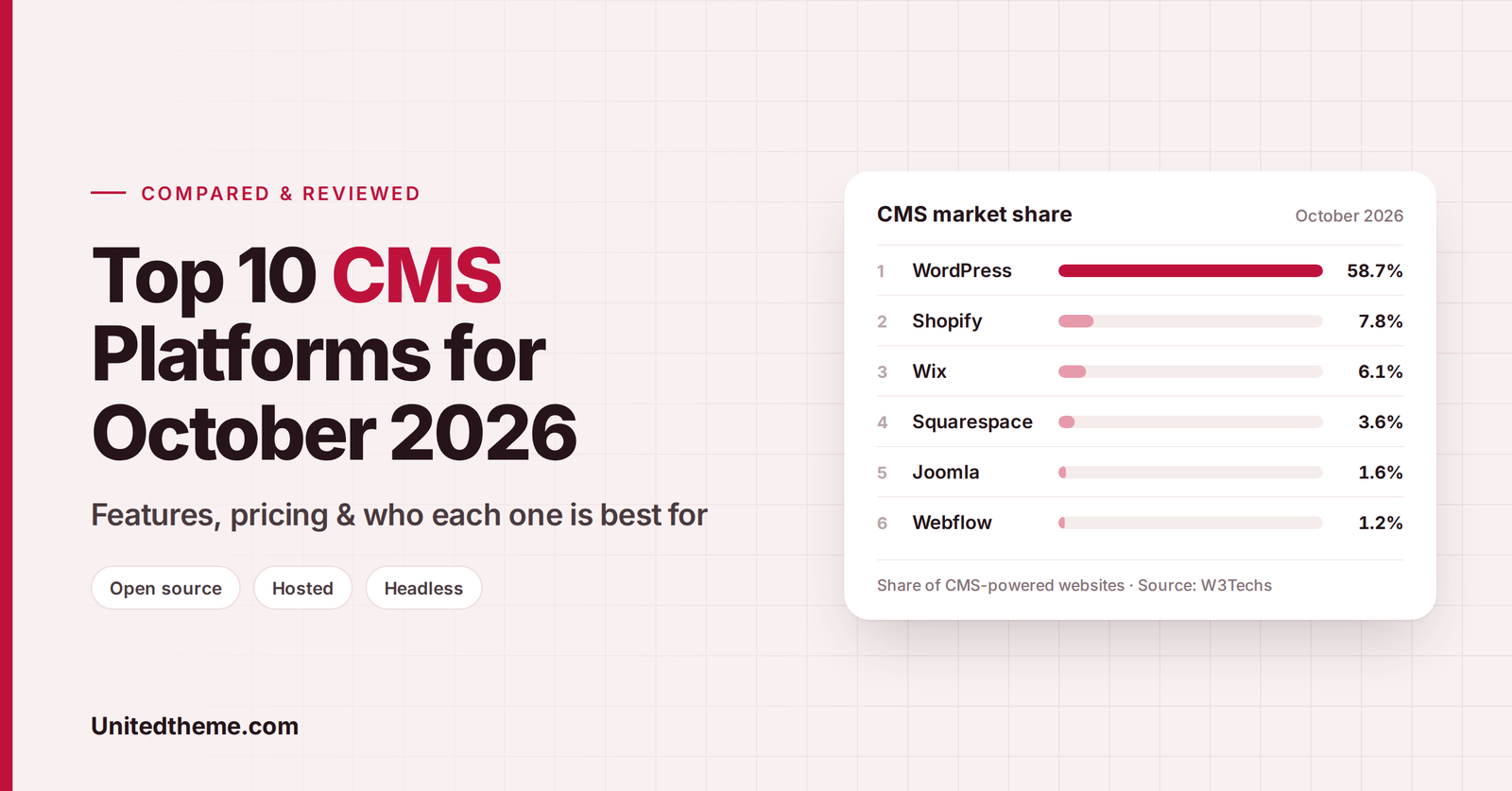
According to W3Techs’ usage data for October 2026, here’s how the most popular CMS platforms compare across all websites:
| CMS | Share of all websites | Share of CMS market |
|---|---|---|
| WordPress | 40.2% | 58.7% |
| Shopify | 5.4% | 7.8% |
| Wix | 4.2% | 6.1% |
| Squarespace | 2.4% | 3.6% |
| Joomla | 1.1% | 1.6% |
| Webflow | 0.8% | 1.2% |
| Drupal | 0.6% | 0.9% |
Source: W3Techs, “Usage statistics of content management systems,” 2 October 2026. Around 31.5% of websites use no CMS that W3Techs monitors.
Key takeaways:
- WordPress still dominates. It powers roughly 4 in 10 websites and nearly 6 in 10 CMS-based sites.
- Hosted builders keep growing. Shopify, Wix and Squarespace together power about 12% of all websites.
- Design-first and AI-assisted builders are rising. Webflow, Framer and AI site generators are steadily gaining ground, particularly for marketing sites.
Popularity isn’t everything, but a large user base means more themes, plugins, tutorials, developers and long-term stability.
The 10 Best CMS Platforms (October 2026)
1. WordPress.org: Best Overall CMS
Best for: Blogs, business websites, news and magazine sites, online stores, membership sites. Almost anything.
WordPress is the world’s most popular CMS for good reason. It’s free, open source and endlessly flexible. With thousands of themes and tens of thousands of plugins, you can build anything from a simple blog to a large WooCommerce store or a high-traffic news portal.
Modern WordPress has evolved significantly. The block editor and Site Editor let you design templates, headers, footers and entire layouts visually, using block themes, with no page builder plugin required.
Key features:
- Full Site Editing with block themes and patterns
- Huge ecosystem of themes and plugins (SEO, forms, e-commerce, memberships, LMS and more)
- WooCommerce for full-featured online stores
- Complete data ownership and portability
- Multilingual support through plugins like WPML or Polylang
- Massive community, documentation and developer talent pool
Pricing: The software is free. You pay for hosting (budget shared hosting typically costs a few dollars per month, while managed WordPress hosting costs more), a domain name, and any premium themes or plugins you choose.
| ✅ Pros | ⚠️ Cons |
|---|---|
| Free and open source, with full ownership | You manage updates, backups and security (or pay a host or agency to) |
| Unmatched flexibility and ecosystem | Quality varies across third-party plugins and themes |
| Excellent SEO capabilities | Too many plugins can slow a site down |
| Scales from tiny blogs to enterprise sites | Slight learning curve for complete beginners |
WordPress.org vs. WordPress.com: WordPress.org is the free, self-hosted software. WordPress.com is a hosted service built on WordPress, with plan-based limits on plugins and themes on lower tiers.
Getting started tip: A fast, lightweight block theme makes a big difference. Browse the Site Editor-ready themes at Unitedtheme.com, including free options.
2. Shopify: Best for E-commerce
Best for: Online stores of every size, from first-time sellers to large brands.
Shopify is the leading hosted e-commerce platform and the second most-used CMS overall. It handles everything an online store needs: product management, secure checkout, payments, inventory, shipping, taxes and point-of-sale for physical stores. Its built-in AI assistant, Sidekick, helps with store tasks, and Shopify now emphasizes selling through AI chat channels as well as online and in person.
Key features:
- Fast, high-converting hosted checkout
- Thousands of themes and apps in the Shopify App Store
- Built-in payments, shipping discounts and tax tools
- Point of Sale (POS) for in-person selling
- Multi-channel selling (social, marketplaces, AI chat channels)
- Built-in blog (basic compared with WordPress)
Pricing (October 2026, billed yearly): Basic $29/mo, Grow $79/mo, Advanced $299/mo, Plus from $2,300/mo. Shopify was offering a 3-day free trial followed by $1/month for the first 3 months. Card processing rates start from 2.9% + 30¢ on Basic.
| ✅ Pros | ⚠️ Cons |
|---|---|
| Purpose-built for selling, with excellent checkout | Monthly costs add up with paid apps |
| Hosting, security and PCI compliance handled | Less flexible for content-heavy sites |
| Huge app ecosystem | Extra transaction fees if you don’t use Shopify Payments (where available) |
| Scales to enterprise with Shopify Plus | Blogging features are basic |
3. Wix: Best for Beginners and Small Businesses
Best for: Small businesses, portfolios, local services and anyone who wants a drag-and-drop builder with everything included.
Wix is one of the easiest ways to build a professional-looking website. You can generate a site from a single AI prompt or pick from more than 2,000 templates, then customize everything with a drag-and-drop editor. Hosting, security, SSL and support are included. For agencies and designers, Wix Studio offers more advanced design and collaboration tools.
Key features:
- AI website builder and drag-and-drop editor
- 2,000+ templates
- Built-in e-commerce, bookings and scheduling
- Marketing and SEO tools
- Free plan available (with Wix branding and a Wix subdomain)
Pricing (October 2026, billed yearly, USD reference prices): Free, Light $17/mo, Core $29/mo, Business $39/mo, Business Elite $159/mo. Prices vary by location.
| ✅ Pros | ⚠️ Cons |
|---|---|
| Very beginner-friendly | Switching templates later can be difficult |
| All-in-one: hosting, security and support included | Less control over code and performance |
| Good built-in business tools | Moving a site away from Wix is hard |
| Free plan to start | Costs rise as you add features |
4. Squarespace: Best for Design-Focused Sites
Best for: Creatives, photographers, restaurants, boutiques and service businesses that want beautiful design with minimal effort.
Squarespace is known for elegant, award-winning templates and a polished editing experience. It’s ideal if visual presentation matters more to you than deep customization. It includes built-in tools for online stores, appointments, memberships, invoicing and email campaigns.
Key features:
- Beautiful, professionally designed templates
- Built-in AI tools
- E-commerce, digital content and memberships
- Free custom domain for the first year with annual plans
- CSS and JavaScript customization on higher plans
Pricing (October 2026, billed annually): Basic $12/mo, Core $17/mo, Advanced $25/mo. Monthly billing costs more. There’s a free trial but no free plan. Note the transaction fees: the Basic plan charges a 2% online store fee, while Core and Advanced charge 0% on store sales.
| ✅ Pros | ⚠️ Cons |
|---|---|
| Stunning templates out of the box | Fewer third-party integrations than WordPress or Shopify |
| Very easy to keep a site looking polished | Limited flexibility for complex sites |
| All-in-one hosting and security | No free plan |
| Competitive pricing | Transaction fee on the Basic plan |
5. Webflow: Best for Designers and Marketing Teams
Best for: Designers, agencies and marketing teams who want pixel-perfect control without hand-coding.
Webflow combines a visual design tool with a powerful CMS and hosting. It gives designers fine control over layout, animations and interactions, producing clean code. Its CMS handles structured content like blogs, case studies and team pages. Webflow now positions itself as an AI-native platform, with AI tools, an MCP server for AI agents, and app hosting through Webflow Cloud.
Key features:
- Visual, code-quality design and interactions
- Structured CMS collections
- Fast managed hosting
- AI tools and integrations for AI agents
- Add-ons for localization, A/B testing (Optimize) and analytics (Analyze)
Pricing (October 2026, per site, billed yearly): Starter Free (Webflow.io domain, limited CMS), Basic $15/mo (no CMS), Premium from $25/mo (CMS, bandwidth-based pricing). Team and Enterprise platform plans are sold separately at a much higher price.
| ✅ Pros | ⚠️ Cons |
|---|---|
| Exceptional design freedom | Steeper learning curve than Wix or Squarespace |
| Clean, fast output | Costs rise with bandwidth, CMS needs and add-ons |
| Great for marketing sites | Smaller plugin/app ecosystem than WordPress |
| No plugin maintenance | E-commerce is less mature than Shopify |
6. Joomla: Best Open-Source Alternative to WordPress
Best for: Developers and organizations that need built-in multilingual support and complex user permissions in an open-source CMS.
Joomla is a long-standing open-source CMS that sits between WordPress and Drupal in complexity. It offers strong built-in features out of the box, including multilingual content, granular access control and flexible content structures, without relying as heavily on extensions.
Key features:
- Built-in multilingual support
- Advanced user and access control
- Flexible templates and extensions
- Strong security track record and active community
Pricing: Free (open source). You pay for hosting, domain and any premium extensions.
| ✅ Pros | ⚠️ Cons |
|---|---|
| Powerful built-in features | Smaller ecosystem than WordPress |
| Excellent multilingual capabilities | Less beginner-friendly |
| Free and open source | Fewer themes, extensions and developers available |
| Fine-grained permissions | Market share has been declining |
7. Drupal: Best for Enterprise and Complex Sites
Best for: Government agencies, universities, large organizations and complex, high-security websites.
Drupal is a powerful, highly flexible open-source CMS known for handling complex content structures, large volumes of content and strict security requirements. It’s a favorite for enterprise and public-sector websites. To make Drupal more approachable for marketers, the project introduced Drupal CMS, a ready-to-use distribution with recipes, smart defaults and AI-assisted tools.
Key features:
- Highly customizable content types and taxonomies
- Robust user roles and permissions
- Strong security and a dedicated security team
- Excellent multilingual support in core
- API-first architecture, well suited to headless and decoupled builds
Pricing: Free (open source). Costs come from hosting, development and maintenance, which can be significant for complex projects.
| ✅ Pros | ⚠️ Cons |
|---|---|
| Enterprise-grade flexibility and security | Steep learning curve |
| Handles complex, large-scale content | Usually requires experienced developers |
| Great for multilingual and multi-site setups | Higher development and maintenance costs |
| API-first and headless-ready | Overkill for small sites |
8. Ghost: Best for Publishers, Newsletters and Paid Memberships
Best for: Bloggers, independent journalists, creators and publications building newsletter or membership businesses.
Ghost is a modern, open-source publishing platform focused on writing, newsletters and paid subscriptions. It’s fast, clean and distraction-free, with built-in memberships, email newsletters and paid tiers, and 0% transaction fees on Ghost(Pro). It also supports social web distribution and a recommendations network to help publications grow.
Key features:
- Built-in newsletters and email delivery
- Native memberships and paid subscriptions
- Clean, fast editor
- SEO-friendly and very fast out of the box
- Open source (self-host for free) or managed Ghost(Pro) hosting
Pricing (Ghost(Pro), October 2026, billed yearly, for up to 1,000 members): Starter $15/mo, Publisher $29/mo, Business $199/mo (up to 10,000 members), Custom pricing for larger needs. Prices increase with audience size. Self-hosting the open-source version is free, plus hosting costs.
| ✅ Pros | ⚠️ Cons |
|---|---|
| Built for publishing and newsletters | Narrower use case than WordPress |
| Native paid memberships, 0% transaction fees on Ghost(Pro) | Smaller theme and integration ecosystem |
| Fast, clean and focused | Paid subscriptions require the Publisher plan or higher |
| Open source option | Pricing scales with member count |
9. HubSpot Content Hub: Best for Marketing-Led Businesses
Best for: B2B companies and marketing teams already using HubSpot’s CRM.
HubSpot Content Hub (formerly HubSpot CMS) combines a website CMS with HubSpot’s CRM and marketing tools. Content, forms, landing pages, emails and contact data all live in one connected system, making personalization and lead tracking straightforward.
Key features:
- Native CRM integration and smart (personalized) content
- Drag-and-drop page editing and themes
- Built-in SEO recommendations, A/B testing and analytics
- AI content tools
- Managed hosting, CDN and security
Pricing: HubSpot offers free tools to get started, with paid Content Hub tiers (Starter, Professional and Enterprise) that scale with features and seats. Check HubSpot’s pricing page for current rates, as costs can rise significantly at higher tiers.
| ✅ Pros | ⚠️ Cons |
|---|---|
| Seamless CRM and marketing integration | Expensive at Professional and Enterprise tiers |
| Powerful personalization | Best value only if you use the wider HubSpot ecosystem |
| Fully managed and secure | Less flexible than open-source platforms |
| Strong analytics and testing | Can lock you into HubSpot |
10. Strapi: Best Open-Source Headless CMS
Best for: Developers building custom websites and apps with modern front ends like Next.js, Nuxt or Astro, or delivering content to multiple channels.
Strapi is a popular open-source headless CMS built on Node.js. It gives content editors a friendly admin panel while giving developers full control over the front end via REST or GraphQL APIs. It’s ideal when you want the same content to power a website, mobile app and other digital experiences.
Key features:
- Customizable content types and admin panel
- REST and GraphQL APIs
- Role-based access control
- Plugin marketplace
- Self-host for free or use Strapi Cloud for managed hosting
Pricing: The open-source Community Edition is free to self-host. Strapi Cloud and enterprise plans are paid. Check Strapi’s pricing page for current rates.
| ✅ Pros | ⚠️ Cons |
|---|---|
| Complete front-end freedom | Requires developers |
| Content reusable across web, apps and devices | No built-in themes or visual page building |
| Open source and self-hostable | You build and host the front end separately |
| Modern developer experience | Higher total cost for small, simple sites |
CMS Comparison Table (October 2026)
| CMS | Type | Best for | Ease of use | Flexibility | Starting price* |
|---|---|---|---|---|---|
| WordPress.org | Open source | Almost any website | ⭐⭐⭐⭐ | ⭐⭐⭐⭐⭐ | Free (+ hosting) |
| Shopify | Hosted | Online stores | ⭐⭐⭐⭐ | ⭐⭐⭐⭐ | $29/mo |
| Wix | Hosted | Beginners, small business | ⭐⭐⭐⭐⭐ | ⭐⭐⭐ | Free / $17/mo |
| Squarespace | Hosted | Design-focused sites | ⭐⭐⭐⭐⭐ | ⭐⭐⭐ | $12/mo |
| Webflow | Hosted | Designers, marketing sites | ⭐⭐⭐ | ⭐⭐⭐⭐ | Free / $15/mo |
| Joomla | Open source | Multilingual, permissions | ⭐⭐⭐ | ⭐⭐⭐⭐ | Free (+ hosting) |
| Drupal | Open source | Enterprise, government | ⭐⭐ | ⭐⭐⭐⭐⭐ | Free (+ hosting/dev) |
| Ghost | Open source / hosted | Newsletters, memberships | ⭐⭐⭐⭐ | ⭐⭐⭐ | $15/mo (Pro) / free self-hosted |
| HubSpot Content Hub | Hosted | Marketing-led B2B | ⭐⭐⭐⭐ | ⭐⭐⭐ | Free tools / paid tiers |
| Strapi | Open source headless | Developers, multi-channel | ⭐⭐ | ⭐⭐⭐⭐⭐ | Free (self-hosted) |
*Hosted plan prices are entry-level paid plans billed yearly where stated, taken from official pricing pages in October 2026. Ratings are our editorial assessment.
How to Choose the Right CMS
Ask yourself these questions:
1. What are you building?
- Blog, business site or content-rich site → WordPress
- Online store → Shopify (or WordPress + WooCommerce for more control)
- Portfolio or design-led small business site → Squarespace or Wix
- Pixel-perfect marketing site → Webflow
- Newsletter or paid publication → Ghost
- Enterprise or government site → Drupal
- App plus website from one content source → Strapi (headless)
2. How technical are you (or your team)?
Beginners usually do best with hosted builders (Wix, Squarespace) or WordPress with a quality host and theme. Developers can get more from Drupal, Strapi or custom WordPress builds.
3. Do you want full ownership?
Open-source platforms (WordPress, Joomla, Drupal, Ghost, Strapi) give you complete control and portability. Hosted platforms trade some control for convenience.
4. What’s your real budget?
Look at total cost of ownership, not just the plan price: hosting, apps or plugins, themes, transaction fees, developer time and maintenance.
5. How will you grow?
Choose a platform that can handle your plans for the next 3–5 years, whether that’s more content, more products, more languages or more team members.
Our recommendation: For most blogs, business websites and content-driven projects, WordPress offers the best combination of flexibility, ownership, SEO and long-term value. For pure e-commerce with minimal technical overhead, Shopify is hard to beat.
Frequently Asked Questions
What is the most popular CMS in 2026?
WordPress. According to W3Techs’ October 2026 data, it powers 40.2% of all websites and holds a 58.7% share of the CMS market.
What is the easiest CMS for beginners?
Wix and Squarespace are the easiest to start with because hosting, design and security are all included. WordPress is also beginner-friendly when paired with a good host and a well-designed block theme.
Which CMS is best for SEO?
WordPress is widely considered one of the best CMS platforms for SEO thanks to its flexibility, clean structure and powerful SEO plugins. That said, most modern platforms (including Webflow, Shopify, Squarespace and Ghost) can rank well when you create quality content and follow SEO best practices.
Which CMS is best for e-commerce?
Shopify is the top hosted choice for online stores. WordPress with WooCommerce is the leading open-source alternative, offering more flexibility and ownership.
Is WordPress still worth using in 2026?
Yes. WordPress remains the most widely used CMS by a large margin, with a huge ecosystem, modern block-based editing and full data ownership, making it a safe long-term choice for most websites.
What is a headless CMS, and do I need one?
A headless CMS stores content and delivers it via an API to any front end, such as websites, mobile apps or other devices. You probably don’t need one for a standard blog or business site, but it’s powerful for developer-led projects that publish content across multiple channels.
Can I switch CMS platforms later?
Yes, but it can be time-consuming. Content, URLs, SEO, design and integrations all need to be migrated carefully. Choosing the right platform from the start saves a lot of effort.
Recommended Video Tutorials
Want to see these platforms in action? These YouTube videos compare popular CMS options:
- Best CMS Platforms of 2026, by Adrian Twarog: a developer’s overview of today’s leading CMS options. youtube.com/watch?v=K0JPmdu4KwQ
- The Best CMS Platform of 2026 – Wix Studio vs Framer vs Webflow, by Sam Anthony: a comparison of design-first website builders. youtube.com/watch?v=uUzxJ53HNwc
- Wix vs WordPress vs Shopify vs Squarespace: Which Is Best in 2026?, by Adam Enfroy: a head-to-head comparison of the four most popular platforms. youtube.com/watch?v=GdY3yz-bf2w
- Squarespace vs WordPress – Which Is Better? (2026), by Steve Builds Websites: a detailed look at two very different approaches. youtube.com/watch?v=8EzCGwaYDW8
- 9 Best and Most Popular CMS Platforms (Compared), by WPBeginner: a popular overview of CMS options (older, but still a helpful introduction). youtube.com/watch?v=dRqJxDLOY4E
Editor’s tip: Paste any of these YouTube URLs on its own line in the WordPress block editor to embed the video automatically.
Conclusion
There’s no single “best” CMS for everyone, only the best CMS for your goals, skills and budget. Here’s a quick summary:
- WordPress: Best overall, with the most flexibility, the biggest ecosystem and full ownership
- Shopify: Best for online stores
- Wix: Best for beginners and small businesses
- Squarespace: Best for beautiful, low-maintenance design
- Webflow: Best for designers and marketing sites
- Joomla: Best open-source alternative with strong multilingual features
- Drupal: Best for enterprise and complex sites
- Ghost: Best for newsletters and paid publications
- HubSpot Content Hub: Best for marketing-led businesses using HubSpot
- Strapi: Best headless CMS for developers
Whichever platform you choose, focus on great content, fast performance and a great user experience. Those matter more than any feature list.
Choosing WordPress? Get off to a fast, beautiful start with the lightweight, Site Editor-ready themes at Unitedtheme.com.
Need Help Choosing or Migrating Your CMS? Let Our WordPress Developers Help
Choosing the right platform is only the first step. Setting it up properly, or moving an existing site without losing traffic, takes experience. At Unitedtheme, we offer professional WordPress development services for every stage: platform consultations, custom WordPress builds, migrations from Wix, Squarespace, Joomla, Drupal and other platforms, WooCommerce stores, headless WordPress setups and performance optimization. We preserve your content, URLs and SEO during migrations, so your new site launches smoothly. If you want a website built on the right foundation from day one, hire Unitedtheme’s expert WordPress developers and let us handle the heavy lifting.
Keep Your Website Secure, Fast and Up to Date, Every Month
Whichever CMS you choose, websites need ongoing care: updates, security, backups and performance tuning never stop. With Unitedtheme’s WordPress care plans and retainers, our team looks after your website on an ongoing basis: core, theme and plugin updates tested safely, uptime and performance monitoring, security hardening, offsite backups, bug fixes and continuous improvements, all handled by WordPress experts who know your site inside out. Instead of worrying about what might break next, you get a dedicated team keeping everything running smoothly in the background. Explore Unitedtheme’s WordPress retainer plans and give your site the ongoing care it deserves.


Leave a Reply