

A magazine website lives or dies on presentation. Readers arrive for one story and stay because the next headline, photo or feature catches their eye. The theme you choose decides how well that works: how images are framed, how sections are grouped and how easily a visitor moves from one piece to the next.
This guide covers the best magazine WordPress themes for 2026, both free and premium. We explain what separates a magazine theme from a news theme, compare eight strong options and finish with a simple way to choose.
Disclosure: several themes in this list are made by Unitedtheme, the publisher of this site. We have also included respected themes from other developers and noted the weak points of every theme, including our own.
Magazine Theme vs News Theme: What Is the Difference?
The two terms are often used together, but they describe different priorities.
| Magazine theme | News theme | |
|---|---|---|
| Main goal | Showcase features and visuals | Surface the latest stories fast |
| Homepage | Curated, image-led sections | Dense lists, tickers, many categories |
| Publishing pace | A few pieces a week | Many posts a day |
| Typography | Expressive, editorial | Compact, scannable |
| Typical sites | Lifestyle, culture, travel, fashion | Local news, politics, business, sport |
If you publish long features and care about art direction, you want a magazine theme. If you publish constantly and readers need the newest story first, see our list of the best free WordPress news themes instead.
What to Look For in a Magazine WordPress Theme
- Strong image handling. Large featured images, consistent aspect ratios and overlays that keep headlines readable.
- Flexible homepage sections. You should be able to reorder, add and remove sections as your editorial plan changes.
- Readable article pages. A comfortable line length, clear headings and good spacing matter more than any homepage effect.
- Performance. Image-heavy designs are the easiest to make slow. Pair your theme with modern image formats, as explained in our guide to WebP vs PNG vs JPEG.
- Room to grow. Newsletter sections, ad placements and dark mode become important as your audience grows.
The Best Magazine WordPress Themes
1. NewsPulse
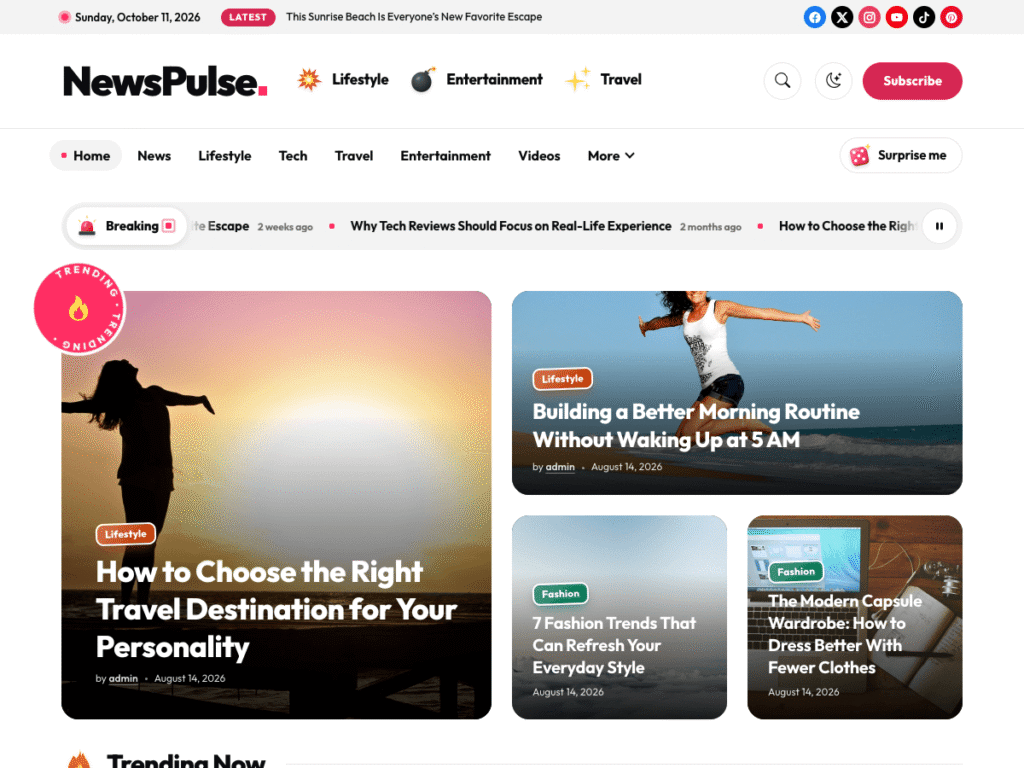
NewsPulse is a bold, image-first magazine theme. You build the homepage from ready-made sections, led by a big-story mosaic that gives your strongest pieces real visual weight. It suits culture, entertainment and trend-driven magazines where the picture sells the story.
Keep in mind: it rewards good photography. Publications that often run without featured images will get less from it.
2. MetroGist
MetroGist is a sophisticated theme for magazines and news websites with a sleek, responsive design. It is a natural fit for city magazines, lifestyle titles and feature-led publications that want an editorial look without a complicated setup.
Keep in mind: very high-volume publishers may want a denser homepage.
3. NewsLunar
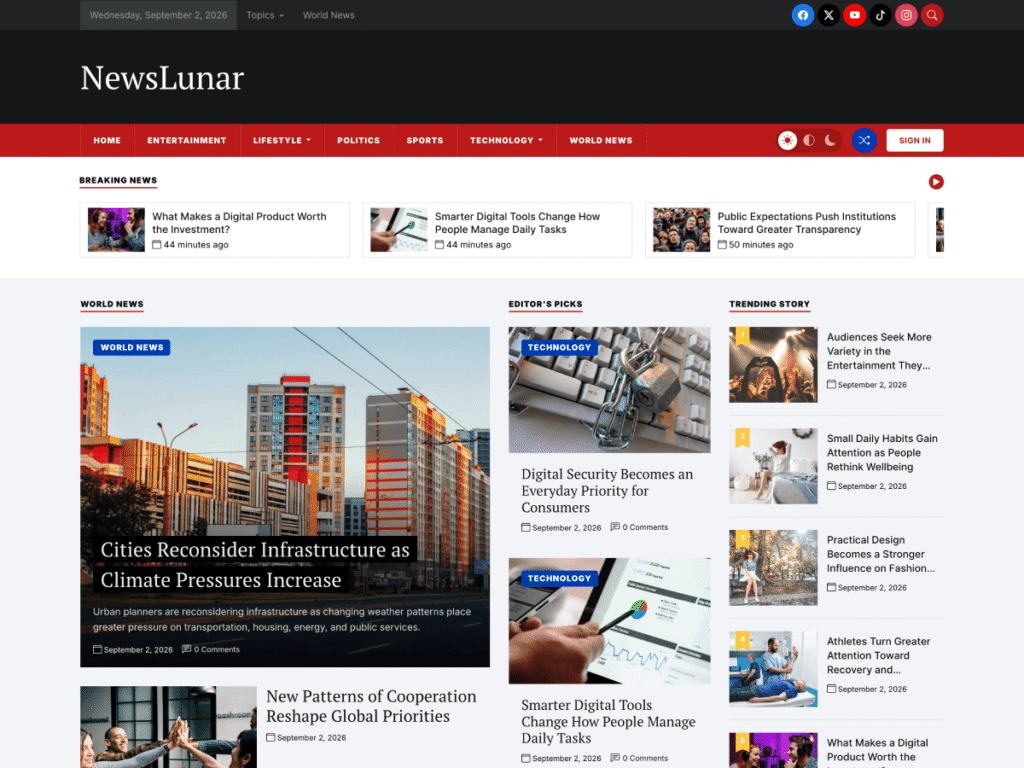
NewsLunar sits on the line between news and magazine. It offers a newspaper-style homepage with a lead story, Editor’s Picks and trending lists, plus light and dark reading modes. Choose it if your magazine also covers timely stories. Read our NewsLunar review for a full breakdown.
Keep in mind: font and color options are part of the Plus version.
4. NewsEverest Plus
NewsEverest Plus is a premium news and magazine theme designed for publishers, bloggers and journalists who want a modern, responsive layout with the full feature set unlocked from the start.
Keep in mind: it is a premium theme, so there is no free tier to trial on a live site. Explore the demo first.
5. BlogView Plus
BlogView Plus is a multipurpose theme built for blogs, magazines, portfolios and creative websites. It is a good choice if your publication mixes formats, for example features alongside a portfolio or a business section.
Keep in mind: multipurpose themes trade some magazine-specific polish for flexibility.
6. Starter Gazette
Starter Gazette is a free theme for publishers who prefer minimalism and clean lines. It is retina ready and fully responsive, and its calm layout suits literary magazines, journals and small independent titles.
Keep in mind: it has fewer homepage modules than the larger themes here.
7. Newspaper
Newspaper, by tagDiv, is one of the best-known premium news and magazine themes. It comes with a large library of pre-built demos and its own front-end builder, which gives you a great deal of design control.
Keep in mind: that flexibility brings a learning curve, and the theme relies on its own builder plugins.
8. Kadence
Kadence is a multipurpose theme with a powerful header builder and a companion blocks plugin. With its starter templates you can build a magazine layout and keep full control of the details.
Keep in mind: you design more of the homepage yourself than with a dedicated magazine theme.
Quick Comparison
| Theme | Free version | Style | Best for |
|---|---|---|---|
| NewsPulse | Yes | Bold, image-first | Culture and viral magazines |
| MetroGist | Yes | Sleek, editorial | City and lifestyle magazines |
| NewsLunar | Yes | Newspaper-style | Magazines that also cover news |
| NewsEverest Plus | No | Modern, feature-rich | Professional publishers |
| BlogView Plus | No | Multipurpose | Mixed-format publications |
| Starter Gazette | Yes | Minimal | Journals and small titles |
| Newspaper | No | Highly customizable | Large editorial teams |
| Kadence | Yes | Flexible foundation | Custom-designed magazines |
Design Principles for a Successful Magazine Site

A good theme gives you the structure. How you use it decides whether the site feels like a magazine or a pile of posts. Keep these principles in mind as you set yours up.
Lead with one strong story
A magazine cover has one main image and one main headline. Your homepage should work the same way. Choose a single lead feature and give it the largest slot. When everything is emphasized, nothing stands out.
Be consistent with images
Use the same aspect ratio for featured images across the site. Mixed shapes make grids look untidy, however good the photographs are. Decide on a ratio, for example 16:9 or 4:3, and crop every image to it before uploading.
Limit your typefaces
Two typefaces are enough: one for headlines and one for body text. A distinctive headline font gives a magazine its personality, while a plain, highly readable body font keeps long features comfortable.
Use white space
Space between sections is not wasted. It tells the reader where one group of stories ends and the next begins, and it makes the page feel calm and confident.
Plan your sections like an editor
Think about the order of sections on the homepage as an editor would think about the running order of a print issue: the cover story, then your main departments, then lighter or evergreen content. Rearrange the order when your priorities change.
Free or Premium: Which Magazine Theme Should You Start With?
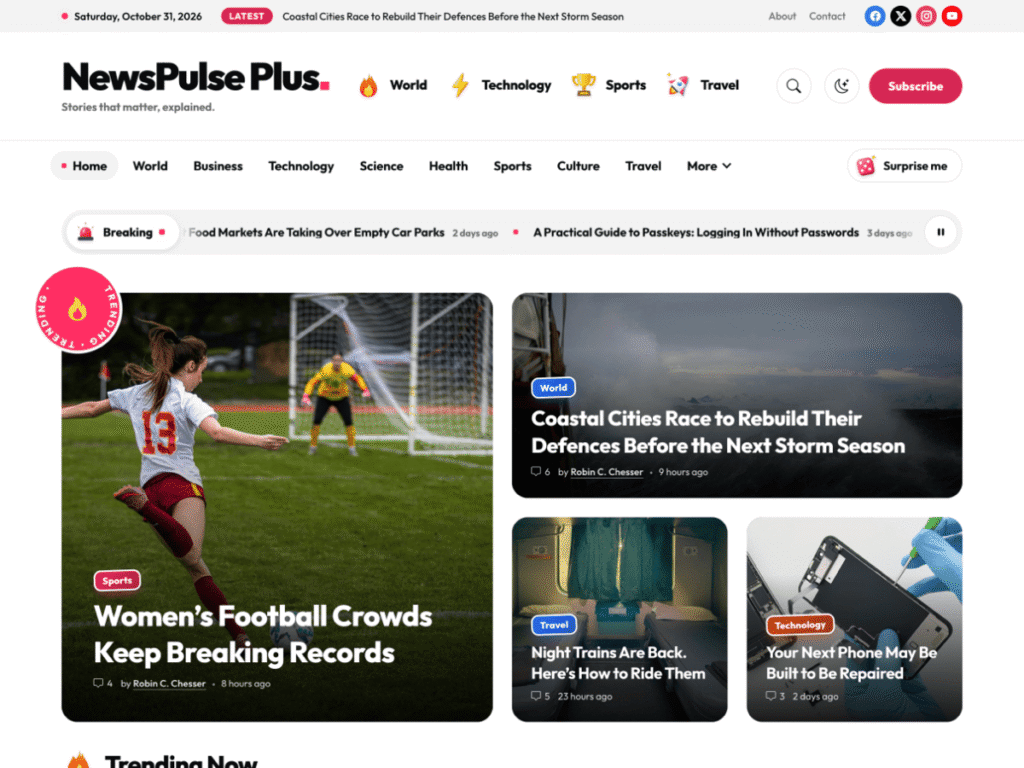
If you are launching a new title, start with a free theme. It costs nothing to test your concept, and themes such as NewsPulse, MetroGist and Starter Gazette are complete enough to publish with from the first day.
Consider a premium theme when:
- You need your own brand colors and fonts. These are commonly reserved for paid versions.
- You want to build a newsletter audience with built-in sign-up sections.
- You are approaching advertisers or sponsors and want to remove the theme credit from the footer.
- You need quick, direct support because the site is now part of your income.
Most premium versions are one-time or yearly purchases, and your existing content stays in place when you upgrade.
How to Launch Your Magazine Site Step by Step
- Define your niche and your reader. A magazine for “everyone” attracts no one. Be specific.
- Choose five to eight categories that reflect your main departments.
- Install your theme and import the demo to get a working layout.
- Prepare ten to fifteen articles before launch, spread across your categories.
- Create a consistent featured image for every article.
- Build your menu and footer with links to your departments, About and Contact pages.
- Set up analytics so you can see which features readers finish and share.
- Publish on a regular schedule. Readers return to magazines that keep their rhythm.
How to Choose
- Decide your publishing pace. A few features a week points to a magazine theme. Daily posts point to a news theme.
- Audit your images. If you have strong photography, choose an image-first design such as NewsPulse. If not, choose a typography-led theme.
- List the three features you cannot live without, then check they are in the version you plan to use.
- Test on mobile. Open the demo on a phone and read a full article.
- Plan for growth. If you intend to sell ads or build a newsletter, make sure the theme, or its premium version, supports that.
How to Monetize a Magazine Website
A magazine theme should support the way you plan to earn, so it helps to think about income before you finalize the design.
Display advertising. Ads are the most common starting point. Look for a theme with sensible places for banners, such as between homepage sections and within articles, so that ads do not break the layout.
Sponsored features. Brands pay to appear in editorial-style articles. Label these clearly as sponsored, both for your readers and to meet advertising rules.
Newsletter sponsorship. A weekly email with your best stories becomes valuable advertising space once the list grows. A theme with a built-in newsletter section makes sign-ups easier to collect.
Memberships. Loyal readers will often pay for extra features, an ad-free experience or early access. Membership plugins work with any well-built theme.
Affiliate content. Gift guides, product roundups and reviews earn a commission when readers buy through your links. They also tend to attract steady search traffic.
Most magazines combine two or three of these. Start with the one that fits your content most naturally and add others as your audience grows.
Common Mistakes When Choosing a Magazine Theme
- Choosing on the demo alone. Demo sites use professional photography and carefully written headlines. Picture the layout with your own images and titles before you decide.
- Ignoring the article page. Readers spend most of their time on articles, not the homepage. Check line length, font size and spacing on a single post.
- Overloading the homepage. More sections do not make a better magazine. Six well-chosen sections beat fifteen thin ones.
- Forgetting mobile. Open the demo on a phone. Menus, image crops and tap targets should all feel comfortable.
- Skipping the update history. A theme that has not been updated recently may not keep pace with WordPress.
- Overlooking speed. Sliders and animation look impressive in a demo and slow a real site down. Favor themes that load only what each page needs.
Magazine Theme Setup Checklist
Use this short checklist once your theme is installed:
- Site title, tagline and logo added
- Five to eight categories created
- Homepage sections assigned to categories
- Lead story slot filled with your strongest feature
- Featured images cropped to one consistent ratio
- Menu and footer links in place
- About, Contact and Privacy pages published
- Analytics and Search Console connected
- Site tested on a phone and a tablet
Keeping a Magazine Site Fast
Magazine layouts are image-heavy by nature, so performance needs attention from the first day. A slow homepage costs you readers before they see a single headline.
- Resize images to the size the layout displays. Uploading a photo straight from a camera forces every visitor to download far more data than necessary.
- Use a modern image format such as WebP for photographs.
- Limit the number of posts on the homepage. Showing thirty stories at once means thirty images. Show your best ten to fifteen and link to category pages for the rest.
- Choose a theme that loads assets conditionally, so that scripts for a slider or gallery are not loaded on pages that do not use them.
- Enable page caching through your host or a plugin.
- Test regularly with PageSpeed Insights, especially after adding a new plugin or homepage section.
Speed also supports search visibility. Fast, stable pages perform better on Core Web Vitals, which Google uses as a ranking signal.
Frequently Asked Questions
What is the best free magazine WordPress theme?
It depends on your content. NewsPulse suits image-led magazines, MetroGist suits lifestyle titles and Starter Gazette suits minimal journals. All three have free versions you can test.
Are premium magazine themes worth paying for?
Usually, once you are publishing regularly. Premium versions typically add brand colors and fonts, newsletter and social sections, footer credit removal and direct support.
Can I run a magazine on a block theme?
Yes. Block themes let you edit templates and homepage sections in the Site Editor, with no page builder required. See block themes vs classic themes for the trade-offs.
How many categories should a magazine site have?
Start with five to eight clear categories. Too many thin categories dilute your homepage and confuse readers.
Final Thoughts
The best magazine WordPress theme is the one that makes your content look its best with the least effort. For image-led titles, start with NewsPulse. For an elegant lifestyle magazine, try MetroGist. Browse the full range on our WordPress themes page, or talk to our team for digital publishers if you need something custom.
Leave a Reply